

EN, Language: English
Language
EN, Language: English
Help centre
Guides and answers for running your organisation on Anggota.
Adding members
Your member directory is where everyone in your organisation lives in Anggota. Each contact has one profile that stays current, holding their details, membership, payment history and activity in one place.
Add a member by hand
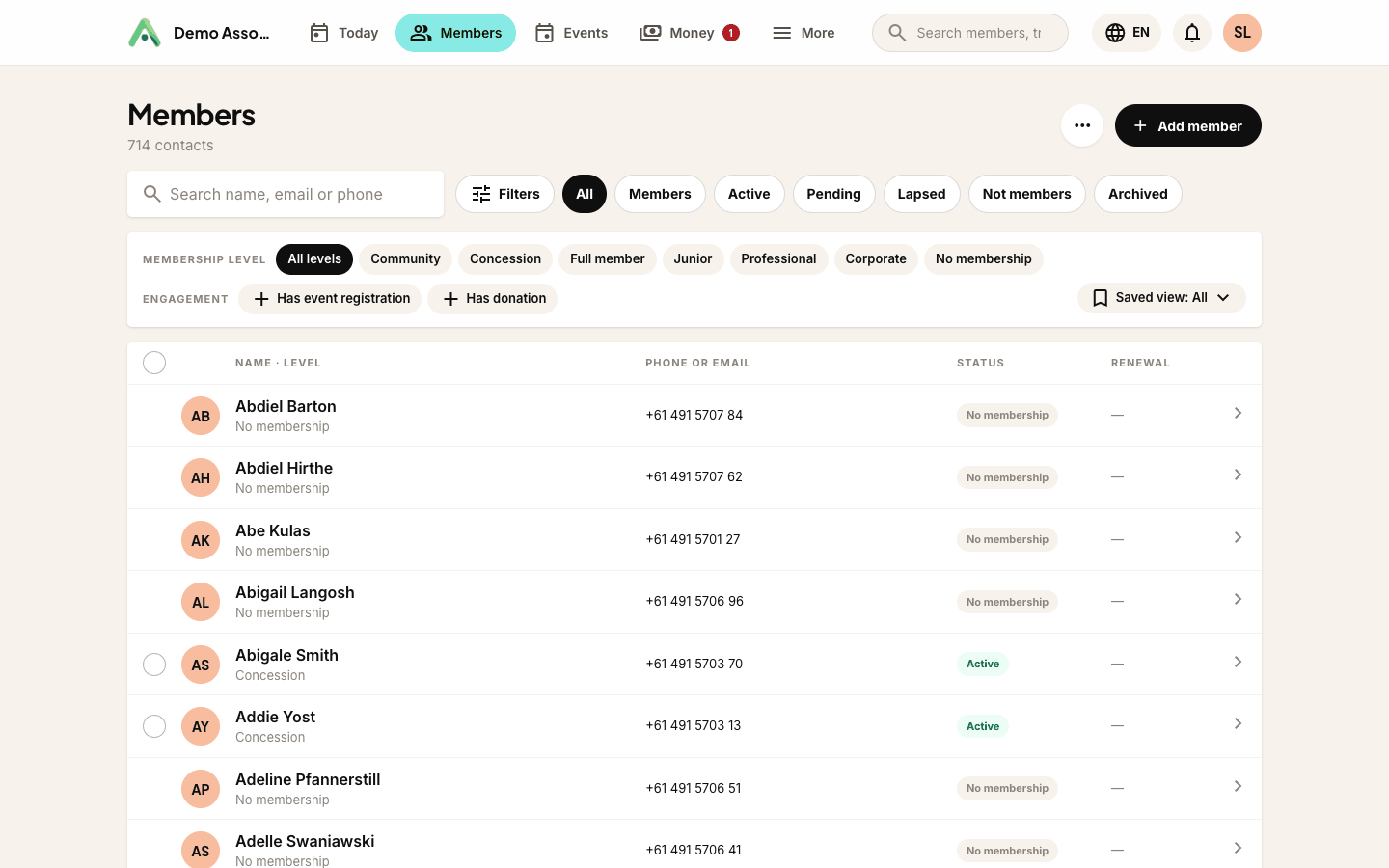
- Open the Members tab in the bar at the top.
- Click Add member in the top-right.
- Fill in at least a name and an email address or phone number, then save.
That is all it takes to create a profile. You can add more detail (phone, address, custom fields) at any time.
Let members add themselves
You do not have to enter everyone yourself. Share your public join page and members fill in their own details and pay, and their profile is created automatically, so your list stays accurate without anyone typing the same thing twice.
During your free trial, the quickest way to share it is the Get your members in card on your Dashboard (Today on a phone): tap Copy the message (or Share on WhatsApp) and post it in your club's WhatsApp group. Members add themselves in about a minute. The same link, a QR code to print or show at meetings and events, and a message to pin in the group are always under Settings > Join kit.
Paste a list from WhatsApp or your notes
Already have names and numbers in a WhatsApp group, a note on your phone, Excel or Google Sheets? While your trial club has only a few members, tap Paste a list instead on the Get your members in card (it is in guided setup too), paste the list and tap Read the list. One person per line, name then number, works best. You can also add a photo of a paper list.
Nothing is saved until you have checked the list: flagged people start unticked, so fill in what is missing and tick them if you want them added, then tap Add these members. People already in your list (same number or email) are skipped, not added twice. Pasted people are added as contacts, without a membership level. In a WhatsApp club they confirm their number the first time they sign in by WhatsApp (see Member logins and the portal).
Find members fast
The list opens with your active members first, then alphabetically. Use the filter bar to narrow it down:
- Membership level - show a single level, or people with no membership.
- Status - active, pending, lapsed, cancelled, or archived contacts.
Filters stay applied as you page through, so you can work through a segment without losing your place.
View and edit a member
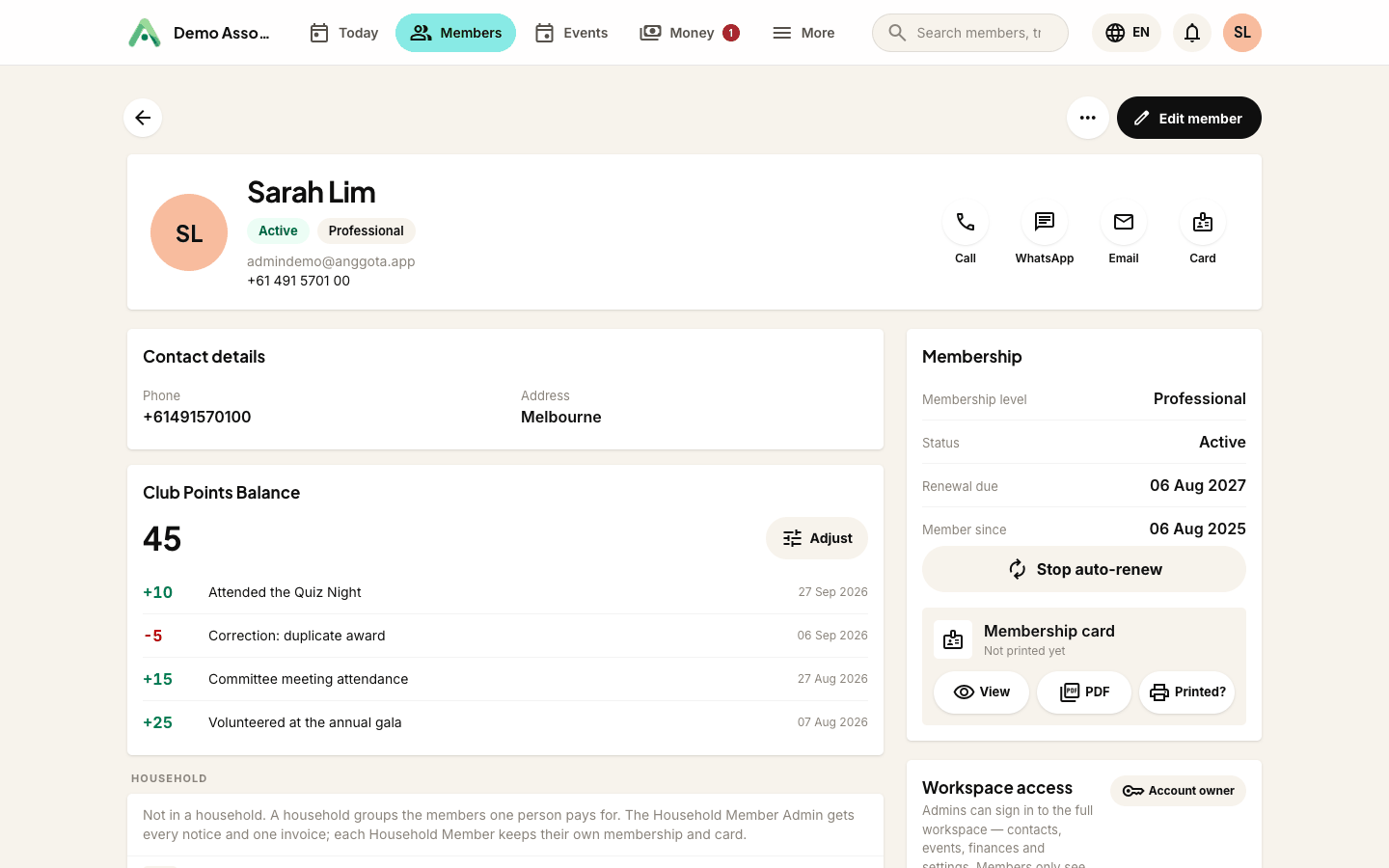
Click a member to open their profile view: their details, membership, groups and tags, and a full history of invoices, payments and event registrations, including any custom-field answers. Click Edit to change anything, or use the Edit link straight from the list when you already know what you want to change.
Tip: every member needs an email address or a phone number, so there is a way to reach them. The CSV importer is stricter about emails: see Importing from a spreadsheet.
Next, learn how to import an existing spreadsheet, find anyone quickly, or organise people with segments and tags.
Still stuck? Reach your Anggota contact and we will walk you through it.
mailContact us