

EN, Language: English
Language
EN, Language: English
Help centre
Guides and answers for running your organisation on Anggota.
The monthly committee pack
The monthly committee pack is an email with last month's highlights, sent on the 1st of every month to the people who look after your organisation's finances. It saves someone pulling the numbers together before every committee meeting.
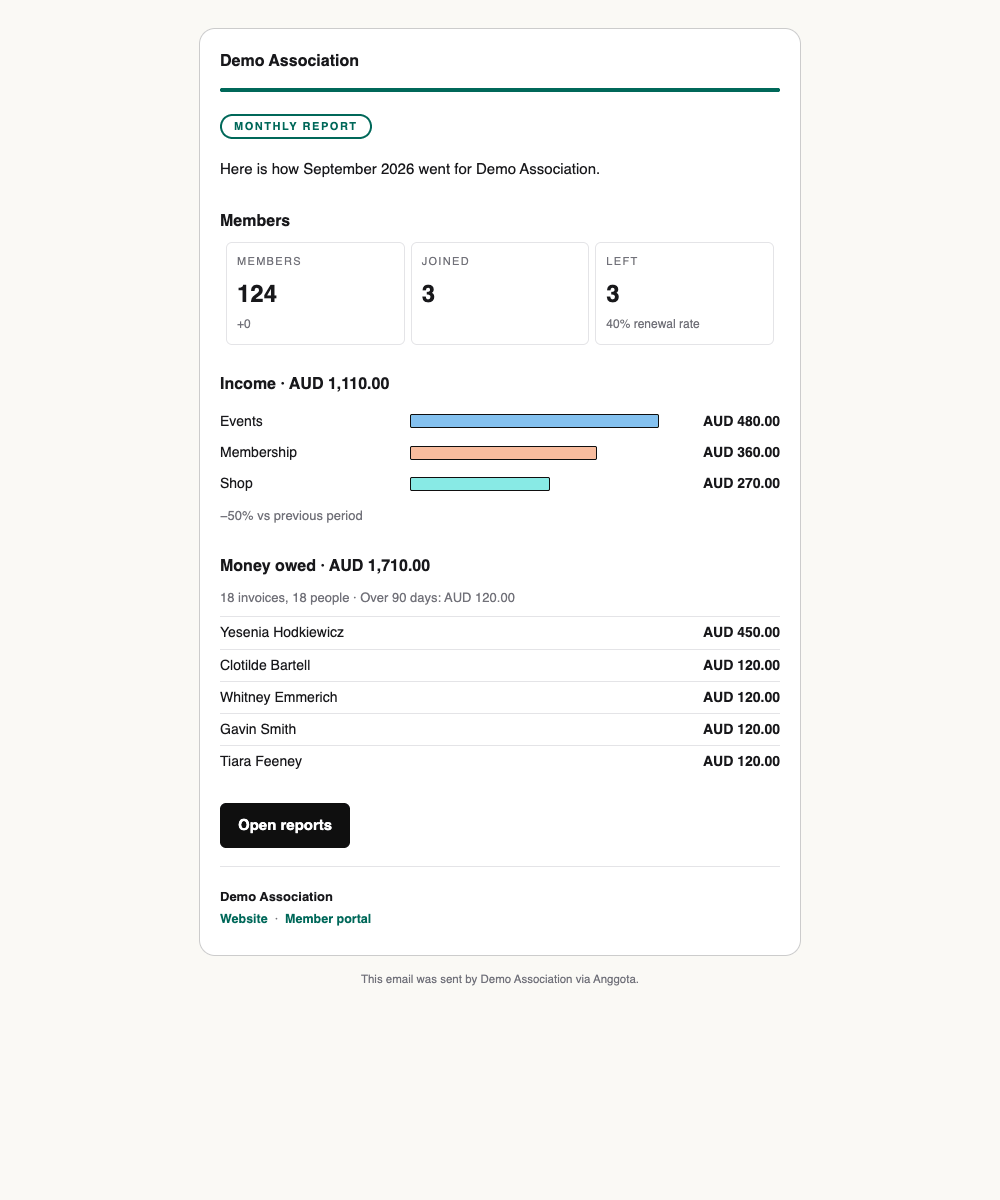
What's in it
For the month just finished:
- Members - how many members you had at the end of the month and the change over it, how many joined, and how many left, with your renewal rate.
- Income - the money received, split by type, and the change on the month before.
- Money owed - the total, how much of it is more than 90 days old, and the five people who owe the most.
The names of the people who owe money only go to those who can Manage finances - the same people who can download the list of debtors. Everyone else gets the same email with the totals but without the names.
A button at the bottom opens Reports, so anyone who wants the detail can go straight to it. Demo data is always left out.
Turning it on
The pack is off until you switch it on.
- Open Reports.
- Find Monthly committee pack at the bottom of the page.
- Tick Send the monthly pack. It saves as soon as you tick it, and unticking it turns the pack off again.

Want to see one first? Click Send me a test, and last month's pack goes to your own email address straight away.
The panel only appears for people who can both manage your organisation's settings and see finances.
Who gets it, and when
The pack goes to every admin, and to anyone whose role can See finances. If nobody can, it isn't sent.
It's sent at 8am on the 1st of the month in your organisation's time zone, in your organisation's default language, using the same branded design as your other emails. Replies go to your organisation's reply-to address.
Your email settings still apply. If sending is switched off for your organisation, or your trial's email allowance has run out, the pack isn't sent.
Still stuck? Reach your Anggota contact and we will walk you through it.
mailContact us