

EN, Language: English
Language
EN, Language: English
Help centre
Guides and answers for running your organisation on Anggota.
Quizzes, scores and certificates
A course can end with a single exam, or have several quizzes spread through its chapters, and everyone who completes it earns a certificate that anyone can verify with a scan. This article covers building the quiz, how scoring works, and what students and admins can each do with results and certificates.
Adding a quiz
On the course screen, type a title into Add quiz. The quiz drops into the chapter list, and you can move it anywhere in the sequence with the arrows. A quiz placed after chapter three only unlocks once chapters one to three are done, exactly like a chapter.
Open the quiz to write its questions. Each question has:
- The question text and an answer type: multiple choice (2 to 10 alternatives) or a number.
- For multiple choice, tick the radio button next to the correct alternative. The ticked row shades green, so you can always see which answer counts.
- A weight (default 1). A weight-2 question is worth two points, so your important questions can count for more.
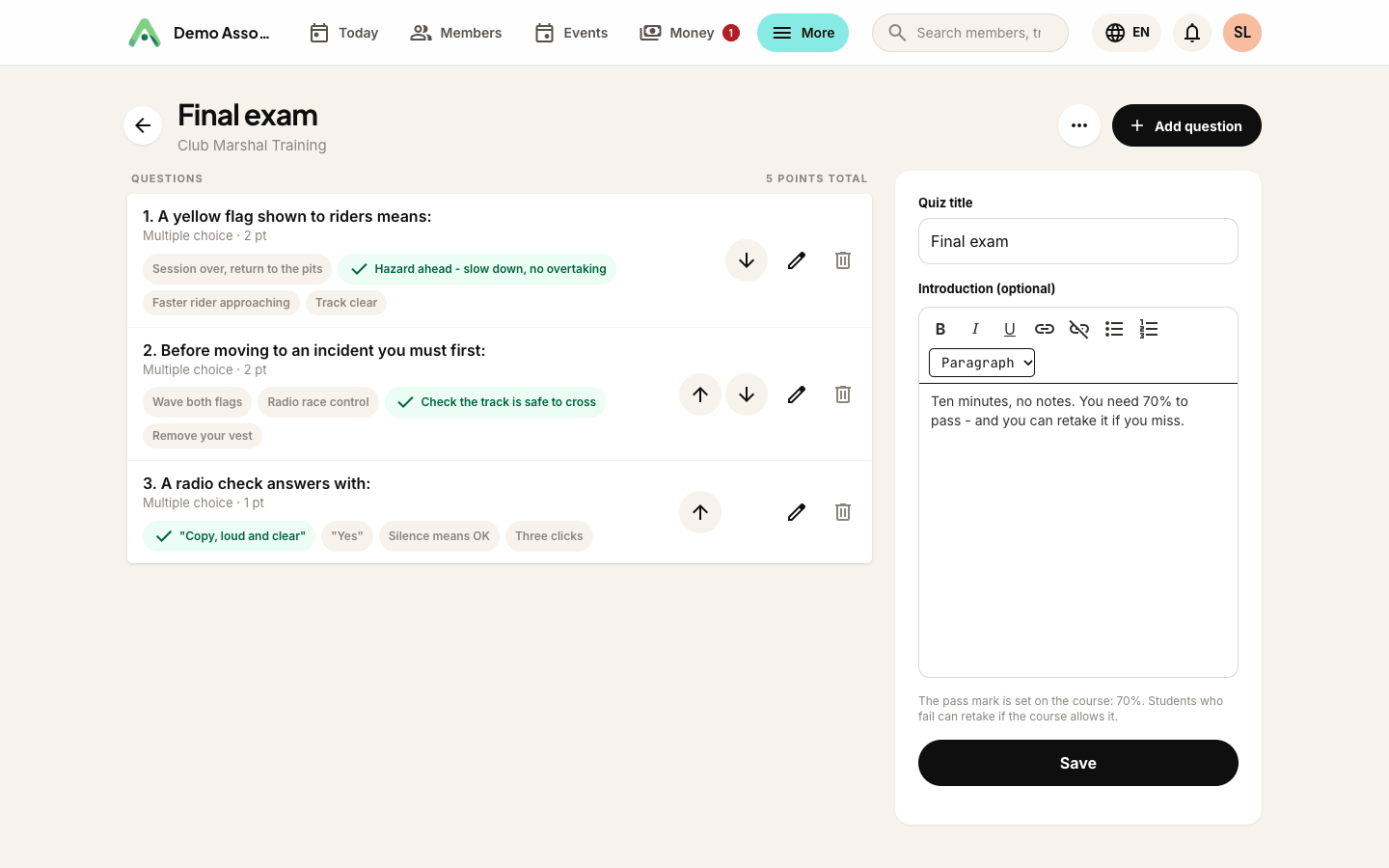
The pass mark lives on the course settings (for example 70%), and the builder shows the quiz's total points so you can sanity-check what a pass requires.
Sitting the exam, scores and retakes
Students answer every question on one screen and submit. Marking is instant and happens on the server, and the correct answers are never sent to the browser, so peeking at the page source reveals nothing.
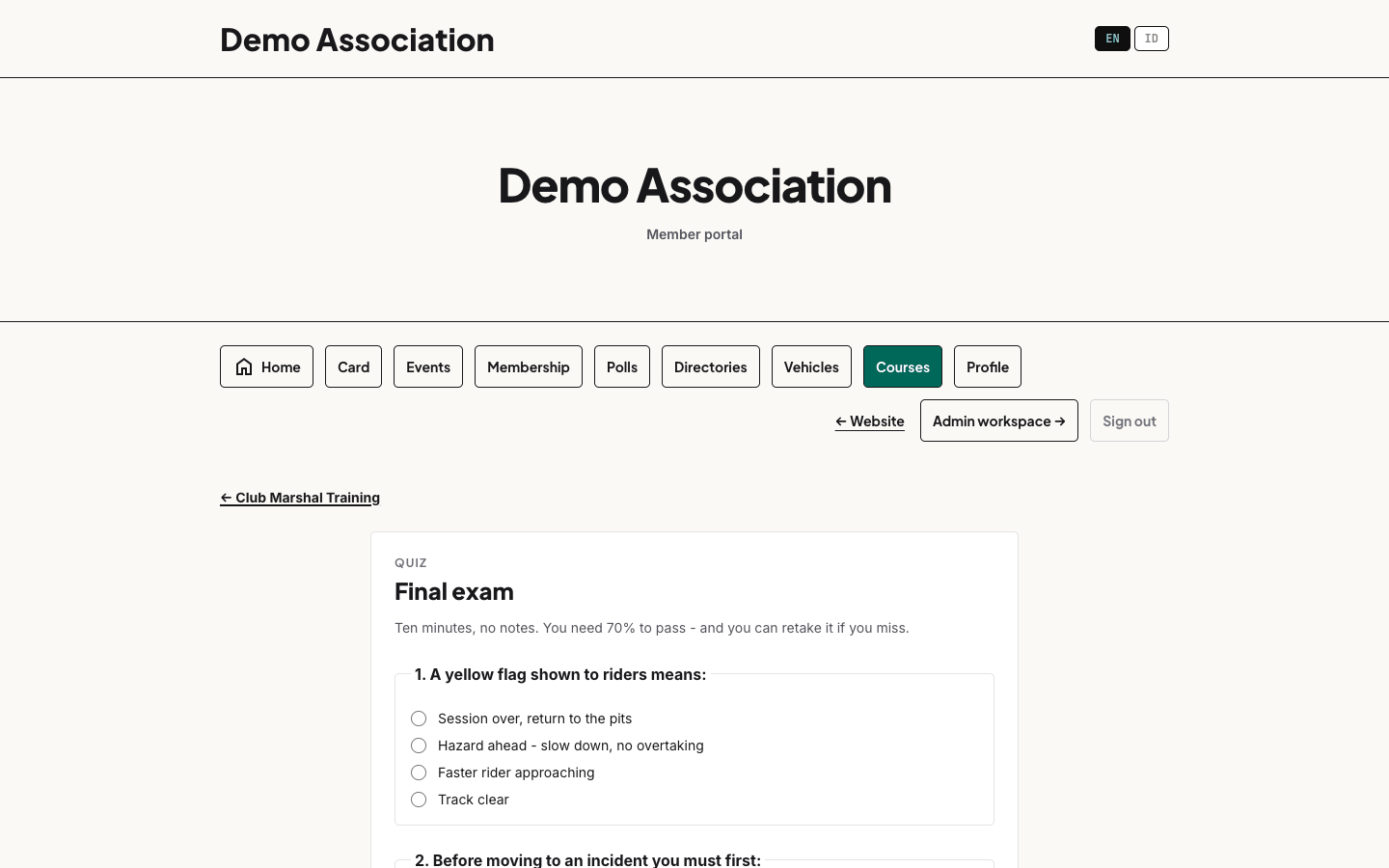
The result panel shows points, percentage and pass/fail against the course's pass mark:
- Pass - the quiz ticks off and the course continues (or completes).
- Fail - if the course allows retakes, the student can sit the exam again immediately, as many times as it takes. The newest attempt is always the score of record.
Admins can reset any student's result, including a pass, from the Students screen (open the Per quiz detail next to their score). A reset never deletes the old attempt. It simply reopens the exam, and the history stays on file.
When a course has several quizzes, a student must pass every one, and their final score is the combined points across all of them.
Certificates
The moment a student completes the course, their certificate is issued and their completion email goes out (with their score). If you use member points, their points are awarded at the same time, either a fixed amount or an amount based on their score, whichever the course settings say.
Each certificate has an unguessable link of its own. The link opens a verification page showing the holder, the course, the score and a Valid badge, and the downloadable PDF carries a QR code pointing straight back at that page. Anyone a certificate is shown to (an employer, another club) can scan it and see the live status, which also means a certificate you later revoke shows as revoked everywhere, no matter how many copies were printed.
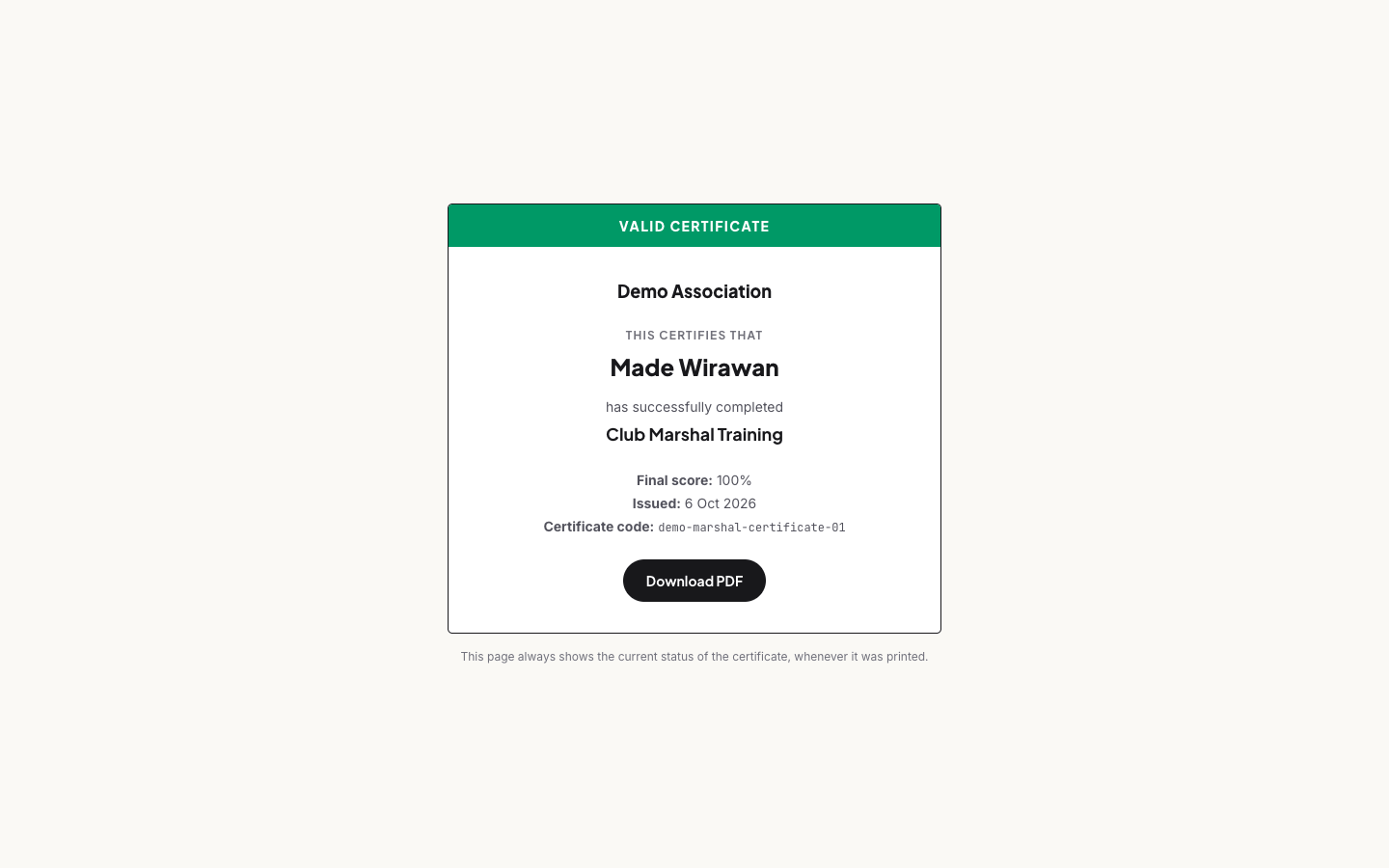
Two settings control who gets the file:
- Students can download their own certificate (per course) - when on, finished students get a download button in the portal and a Your certificates list they can come back to any time. When off, only admins issue certificates.
- Admins always have the Certificate PDF and Revoke buttons on the Students screen, whatever the setting.
The PDF and the verification page follow the language being viewed, so a student reading the portal in Bahasa Indonesia downloads a Bahasa certificate.
Still stuck? Reach your Anggota contact and we will walk you through it.
mailContact us