

EN, Language: English
Language
EN, Language: English
Help centre
Guides and answers for running your organisation on Anggota.
Accepting donations
Donations let supporters give a one-off gift or set up regular giving, from your own website or an embedded form on someone else's. Every paid gift is backed by an invoice and a payment, so it also shows in Money → Invoices (filter the type to Donation) and in your accounting export, with nothing separate to reconcile.
Turn donations on
Donations are off until you switch them on.
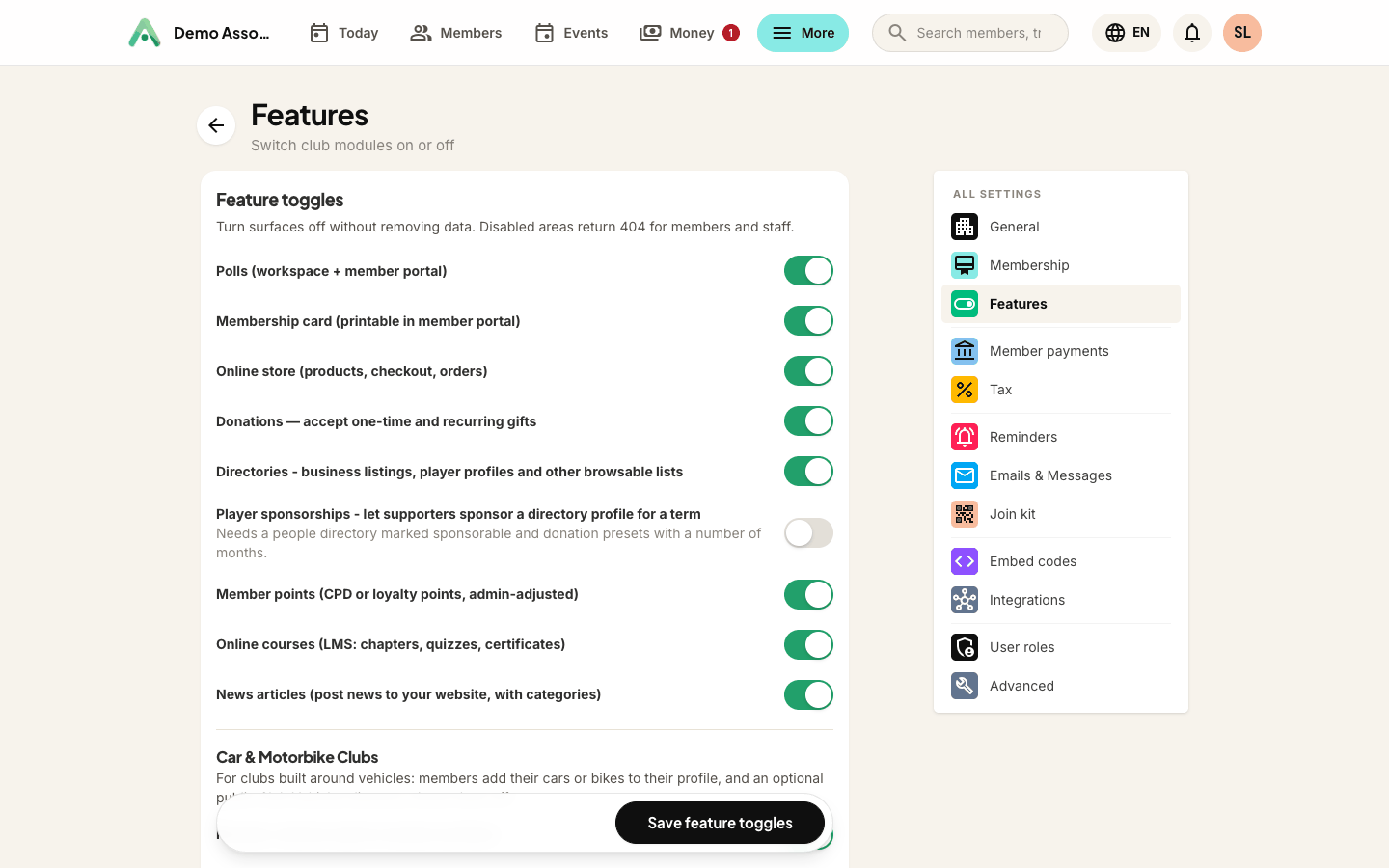
- Open More → Settings → Features.
- Tick Donations - accept one-time and recurring gifts and save.
Donations now appears as a tab on Money and under More, and saving also creates the two donation emails (receipt and thank-you) so you never promise a receipt you cannot send.
Set up your donation form
Open Money → Donations, click the ⋯ button and choose Settings.
- Recurring options - one-off giving is always available. Tick the repeat options you want to offer (monthly, quarterly, semi-annually, annually).
- Suggested amounts - quick-pick buttons on the form. Leave blank to skip them.
- Allow a custom amount - let supporters type their own figure.
- Minimum donation - the smallest gift you will accept.
- Intro text and thank-you message - your own words at the top of the page and after a successful gift.
- Receipt number prefix - receipts are numbered like
DON-00001.
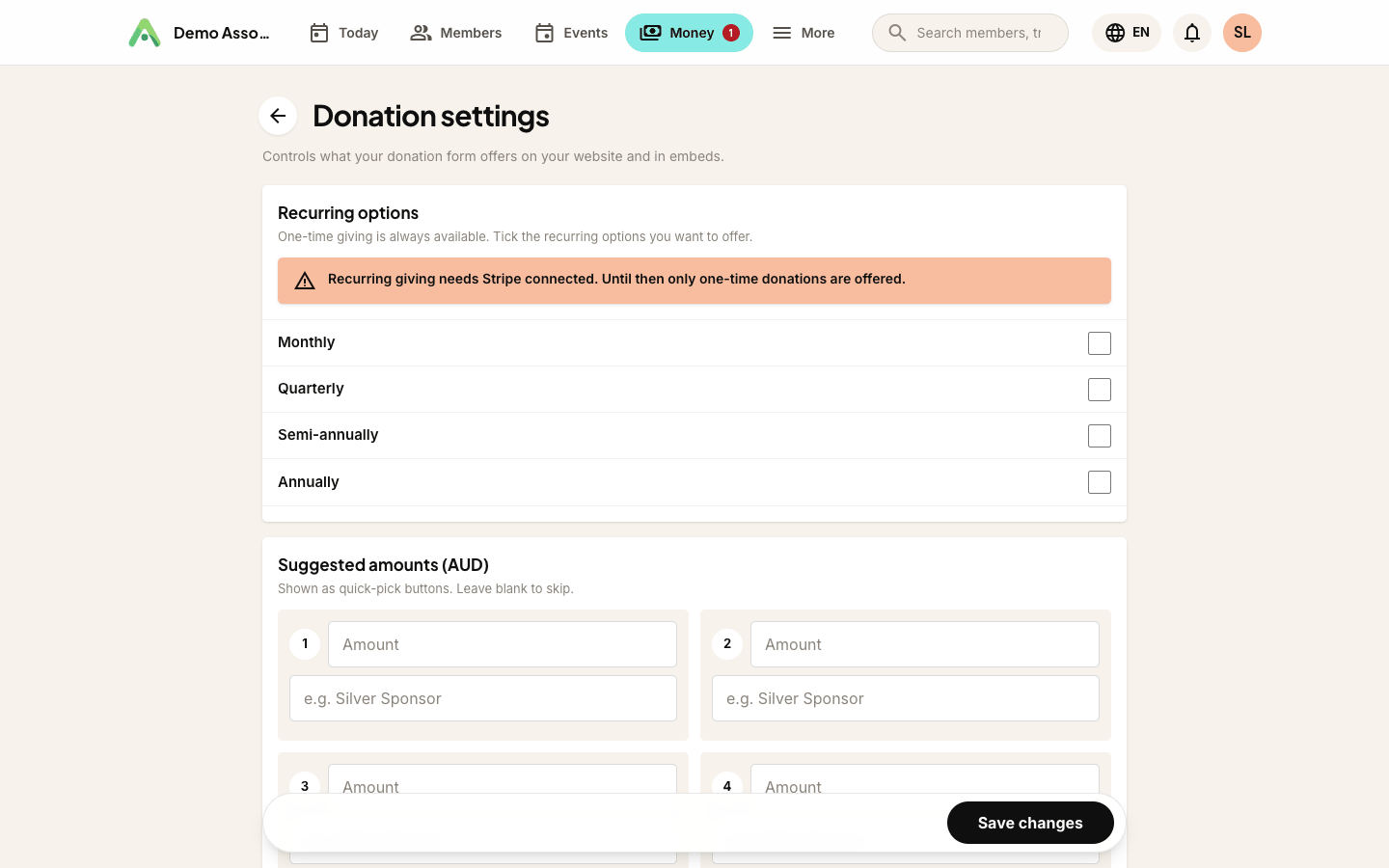
Recurring giving needs a card gateway. Repeat options only appear once Stripe or PayPal is connected under Settings → Member payments. Without one, supporters are offered one-off giving only, which is better than showing them a choice that could not be charged.
Put a Donate button on your website
- Open More → Pages (the Website screen).
- Tick Show a Donate button and save.
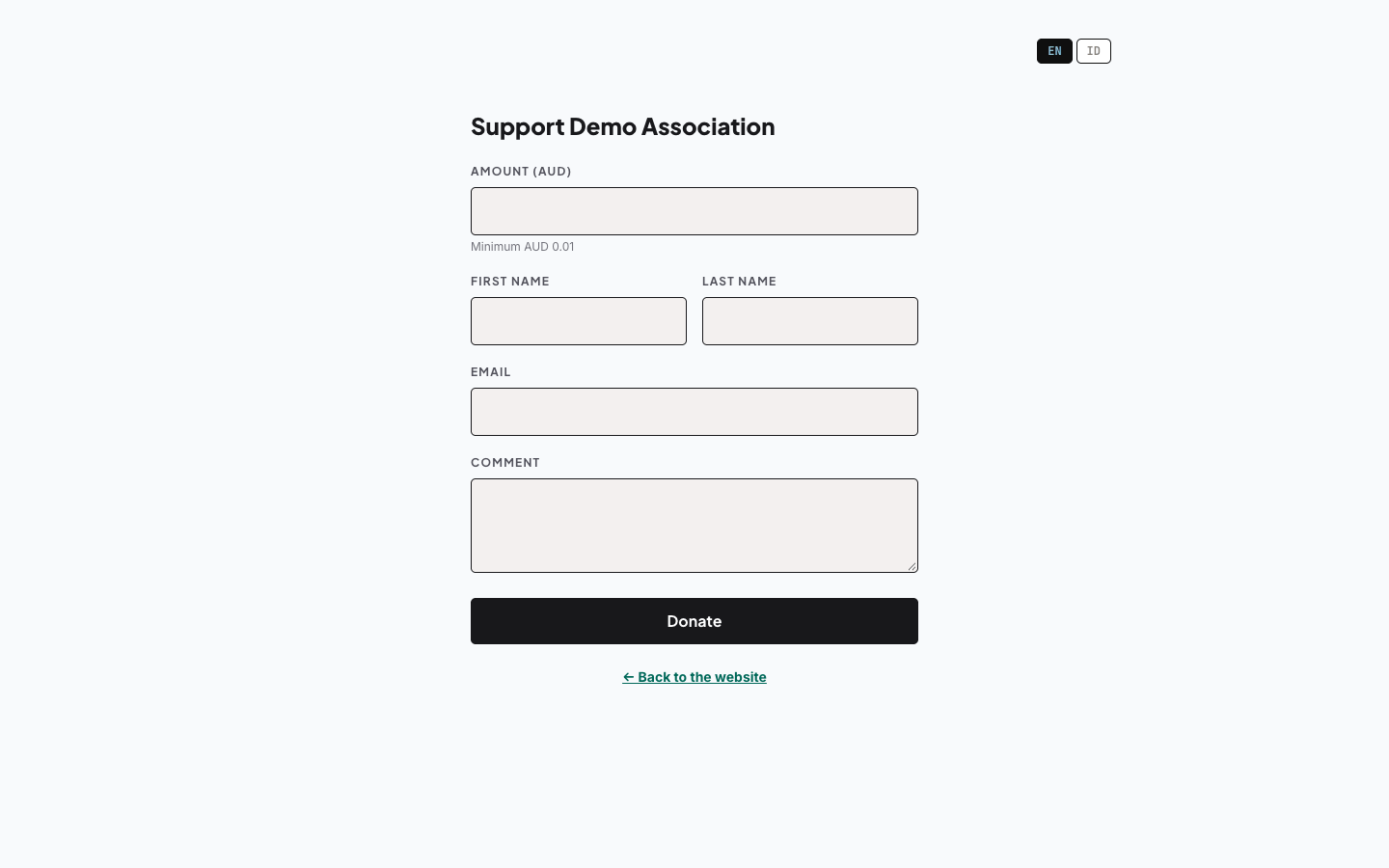
A Donate button appears in your site header, linking to your donation page. The tickbox only shows once donations are switched on.

This is what supporters see when they click it:
Watching donations come in
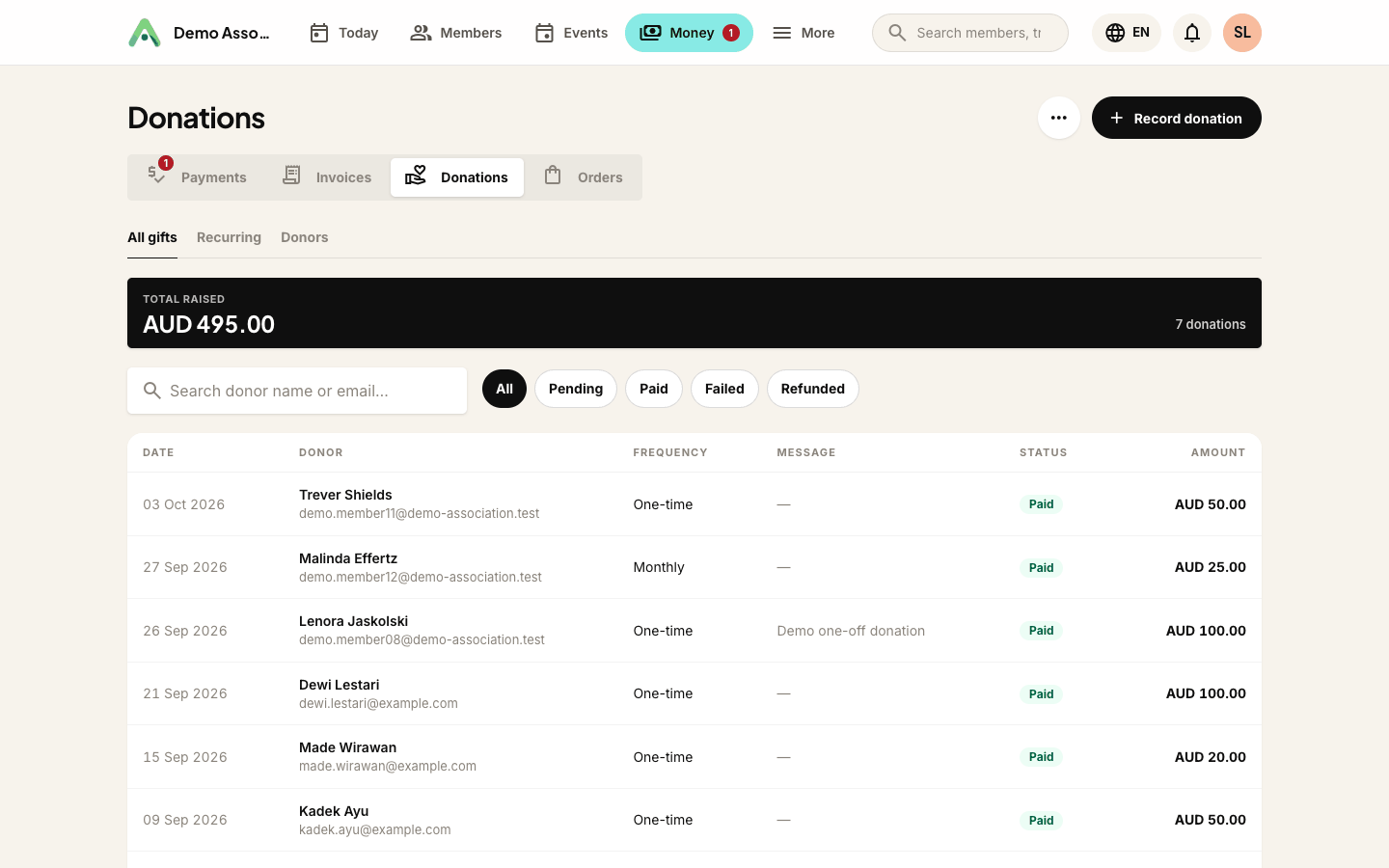
Donations has five tabs, and a sixth when player sponsorships are on.
- Donations - every gift, filterable by status and donor, with your running total.
- Recurring - active repeat gifts, what each is worth and when the next payment is due.
- Donors - supporters ranked by lifetime giving.
- Sponsorships - only while player sponsorships are switched on: who sponsors which player, and for how long.
- Settings - the form options above.
- Questions - extra questions on your donate form (see below).
Stopping a recurring gift
A donor who wants their monthly gift to stop usually asks the club, not the payment provider. Open the Recurring tab and cancel the plan there.
Cancelling stops the charge at Stripe or PayPal as well as in Anggota, so the donor is not charged again. (If it only stopped in our records, the donor would keep paying a club that thinks it has stopped taking their money, and they'd find out about it on their card statement.)
Two messages are worth recognising:
- The provider refused the change - nothing was changed here either, and the donor is still being charged. Try again, or cancel the subscription directly in Stripe or PayPal.
- The plan has no linked subscription on record - the provider was never contacted. If the gift was set up through Stripe or PayPal, cancel it there too, or the donor may still be charged.
In both cases Anggota tells you the charge may still be live rather than reporting a success it cannot vouch for.
Recording a gift that arrived another way
When a gift arrives some other way (cash at an event, a cheque, a direct bank transfer), record it so your books stay complete.
- On Money → Donations, click Record donation.
- Pick the donor, the amount, the date it arrived and how it was paid.
Anggota raises a matching invoice and payment behind the scenes, so the money appears in your revenue and accounting export just like a card gift.
Receipts and thank-yous
Every paid gift gets a receipt number and triggers two emails: a thank-you and a numbered receipt. Edit the wording in More → Emails & messages - look for Donations Receipt and Donations Confirmation.
Receipt numbers are only issued once a gift is actually paid, so an abandoned checkout never uses one up.
Donations on someone else's website
If your site is not built with Anggota, embed the donation form instead - see embed codes and use data-checkout="donate".
Extra questions on the form
Out of the box the donate form asks only for name, email and amount. To ask for more, such as a message, a preference or a dedication, open Money → Donations, choose ⋯ → Questions and click New question.
Questions use the same field types as custom fields, and you can make any of them required. They're asked of every donor on the donate page, and the answers are kept on the donor's contact record. Keep the list short: each question is one more thing between a supporter and their gift.
Sponsoring a player
If your club has a people directory of players, supporters can sponsor one of them for a set number of months, paid through this same donate form. A suggested amount with a Sponsorship term (months) becomes a sponsorship option. See player sponsorships.
Still stuck? Reach your Anggota contact and we will walk you through it.
mailContact us