

EN, Language: English
Language
EN, Language: English
Help centre
Guides and answers for running your organisation on Anggota.
Member logins and the portal
Members get their own sign-in and their own portal, where they can check their membership, see what they have registered for, look at invoices and keep their details current. There is nothing for you to set up: it works from the day you add them.
How members sign in
By default there is no password. A member enters their email at anggota.app/m/your-slug/login, and Anggota emails them a secure one-time link. Clicking it signs them in.
If your club has WhatsApp switched on for members, the sign-in page also has a WhatsApp tab: the member types their number and gets a one-tap sign-in link on WhatsApp instead.
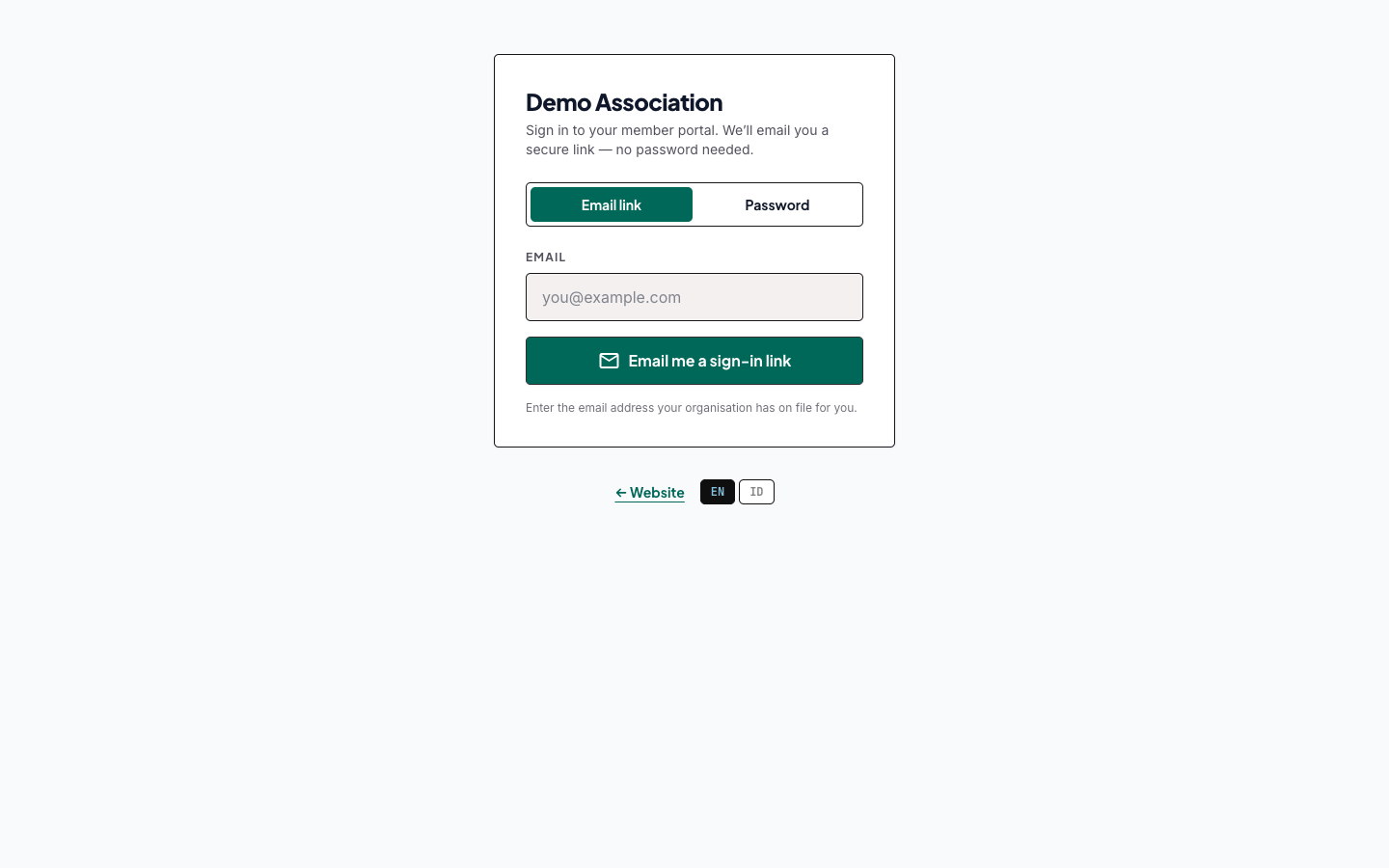
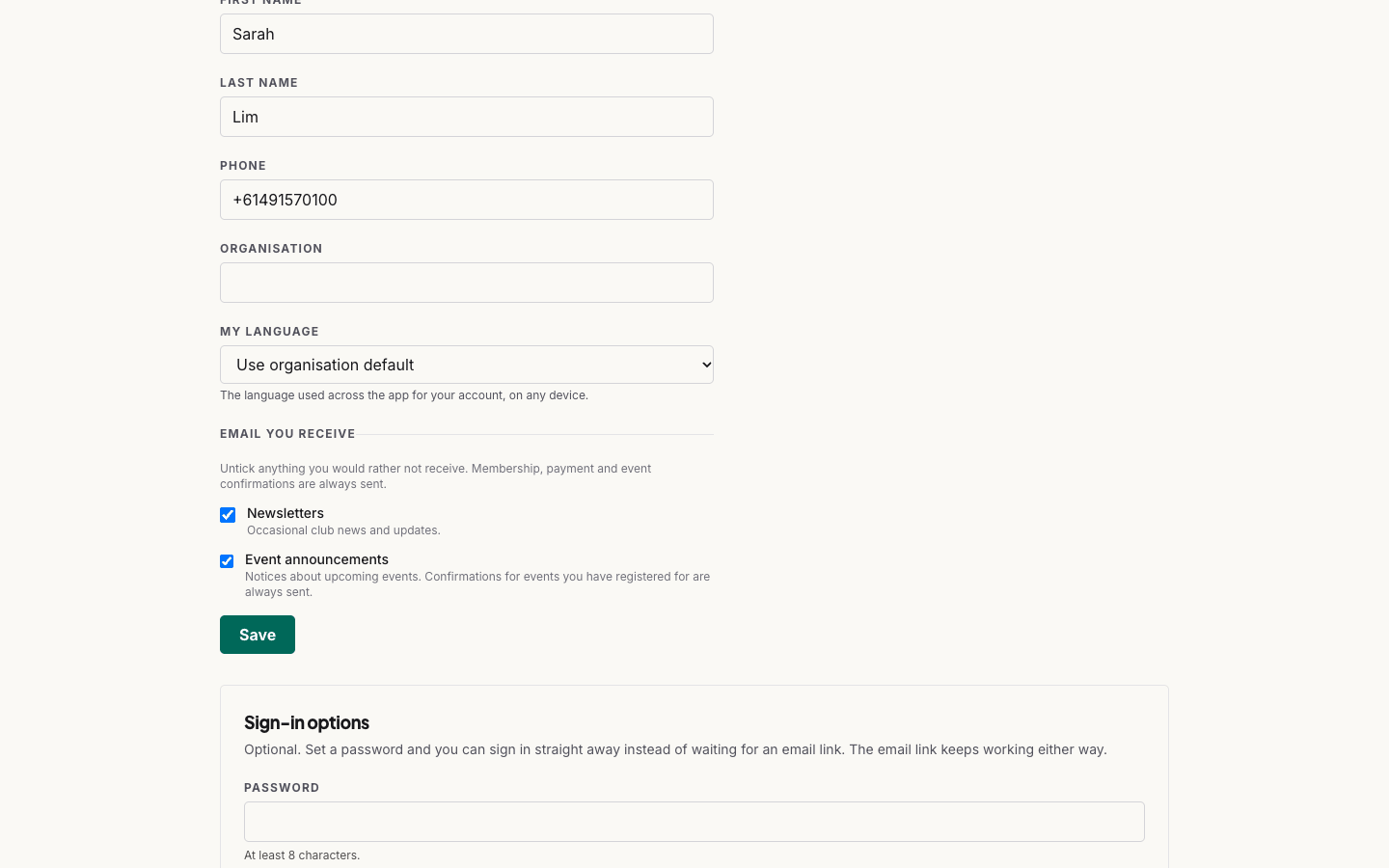
Members who would rather not wait for an email can set a password themselves, from Profile → Sign-in options in their portal. It is entirely optional, and the email link keeps working either way. Once they have one, the sign-in page's Password tab lets them go straight in.
You cannot see, set or reset a member's password. If someone is stuck, tell them to use the email-link tab. It always works, and it is how they set a new password once inside.
An extra code at sign-in
If your organisation wants a second step, switch on More → Settings → General → Security → Require email sign-in codes for staff (after password). Anggota then emails a six-digit code at sign-in, valid for about 30 minutes.
Two things worth knowing:
- The code applies to password sign-ins, for your staff and for members who have set a password. Someone signing in by email link isn't asked for a code, because the link is already proof they hold the mailbox.
- On the code screen there is a Don't ask on this device for 30 days tick, on by default. Changing or removing a password clears every remembered device for that person.
What a member sees in the portal
On a phone the portal works like an app, with a bar along the bottom:
- Home - a greeting with their membership status, their next events and a tile for everything your club offers
- Card - their digital membership card with a QR code, to show at the door
- Events - upcoming events, sign-up, and the events they are going to
- Membership - level, renewal date and invoices, with a printable card
- More - their profile and sign-in options, plus polls and the other features your club uses
On a computer the same pages sit in a menu across the top.
Anyone who also holds an admin seat sees an Admin workspace → link in the portal header, so they can move between the two without signing in again.
What members can turn off
Members control their own email from Email you receive in the portal. Two things can be unticked:
- Newsletters - occasional club news and updates.
- Event announcements - notices about upcoming events.
Everything else is sent regardless. Membership, payment and event confirmations are not preferences, so a member cannot opt out of their own receipt, their renewal notice, or the confirmation for an event they just registered for. Turning off event announcements does not stop the confirmation for an event they have actually booked.
This matters on your side too. An announcement to all current members still skips anyone who has turned announcements off, so the number you send to and the number who receive it will not always match.
The portal on your own website
You don't have to send members to anggota.app at all. The Member Portal widget puts the same account panel on your own site (membership, events, invoices and an editable profile), while visitors who aren't signed in see a short prompt to log in. See embedding on your own website.
Signing out of the portal also ends the member's session in those widgets, so a shared computer is properly cleared.
Tip: because sign-in is by email, a member's email address is their identity. When someone changes address, update it on their contact record. Their next link goes to the new inbox, and their history stays intact.
Still stuck? Reach your Anggota contact and we will walk you through it.
mailContact us