

EN, Language: English
Language
EN, Language: English
Help centre
Guides and answers for running your organisation on Anggota.
Organisation profile
Your organisation profile is the name and contact details members see, and it is also where Anggota sends you alerts. It's worth setting up early, because a couple of other features depend on it.
Where to find it
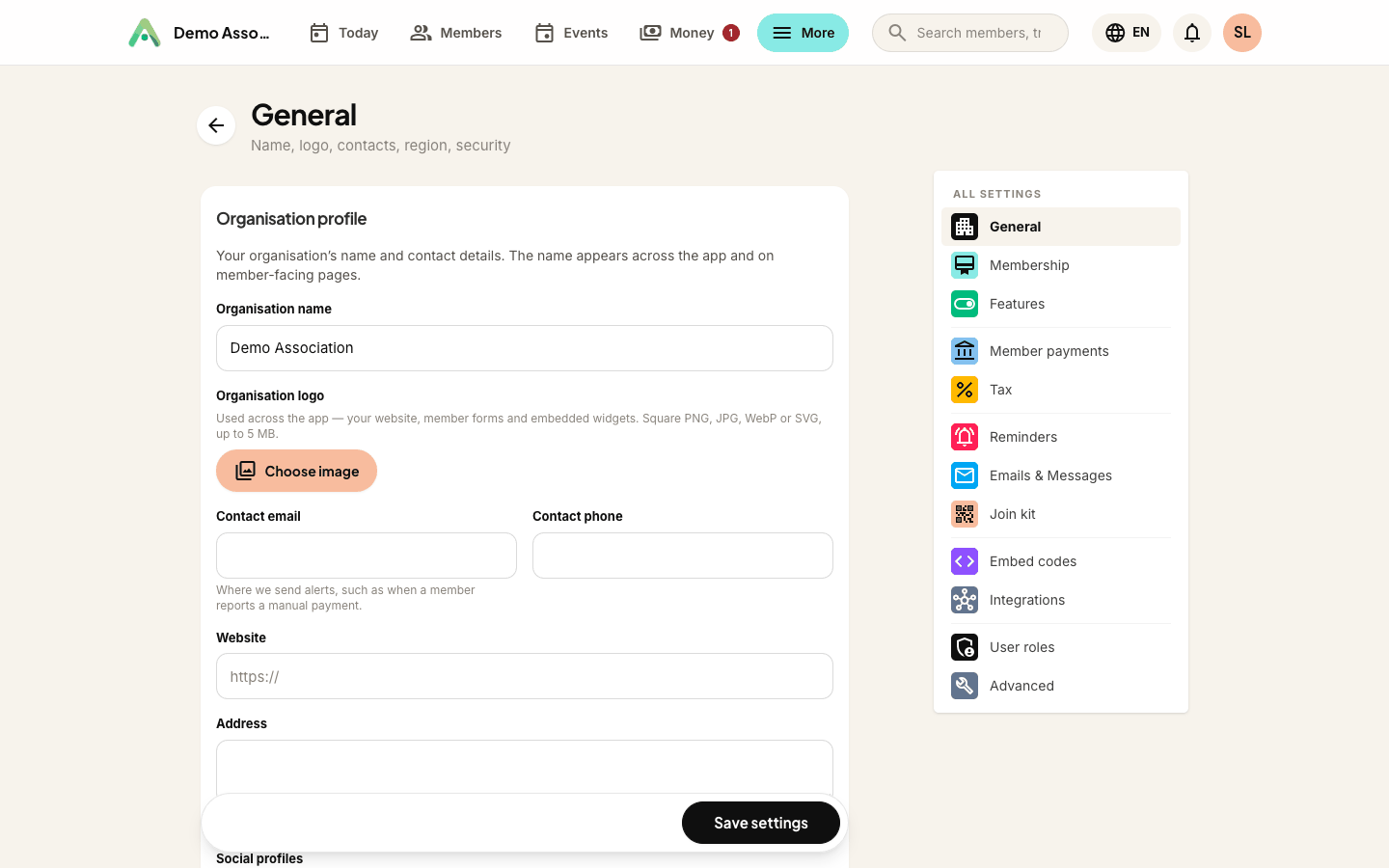
Open More → Settings and click your organisation's name at the top (General). The Organisation profile section sits at the top.
What to fill in
- Organisation name - appears across the app and on your member-facing pages, such as your join and event pages.
- Contact email - where Anggota sends alerts, including when a member reports a manual payment. Make sure someone monitors it.
- Contact phone, website and address - shown where relevant and handy to keep current.
Language
Anggota works in English, Bahasa Indonesia and Bahasa Melayu.
Your organisation runs in English plus at most one other language, and you pick which under Languages in settings. That pair is what your members and staff can switch between, and it is also the set of languages your content fields ask you to fill in. Keeping it to two is deliberate: a third language means a third version of every membership description, every event and every email, and in our experience half-translated content reads worse than one language done properly.
Choose English only if you do not need a second language at all.
Then set the default language, which is the one new members and visitors see first. Individuals can still switch for themselves using the language switcher, but they are only offered the languages your organisation actually runs. Nobody gets shown a language your content has never been written in.
Your own workspace language is a separate, personal choice - see my account.
Tip: the contact email is more than a nicety, because it is how you find out a member has paid by QR or bank transfer. If your accounts are handled by a specific person or team, use their address so the alert reaches the right inbox.
Only organisation administrators can change these details.
Still stuck? Reach your Anggota contact and we will walk you through it.
mailContact us