

EN, Language: English
Language
EN, Language: English
Help centre
Guides and answers for running your organisation on Anggota.
Finance reports
The finance reports are for your treasurer. They need a role that can See finances, and they read the same invoices and payments as the Money tab, so a figure in a report always matches the records behind it.
Income
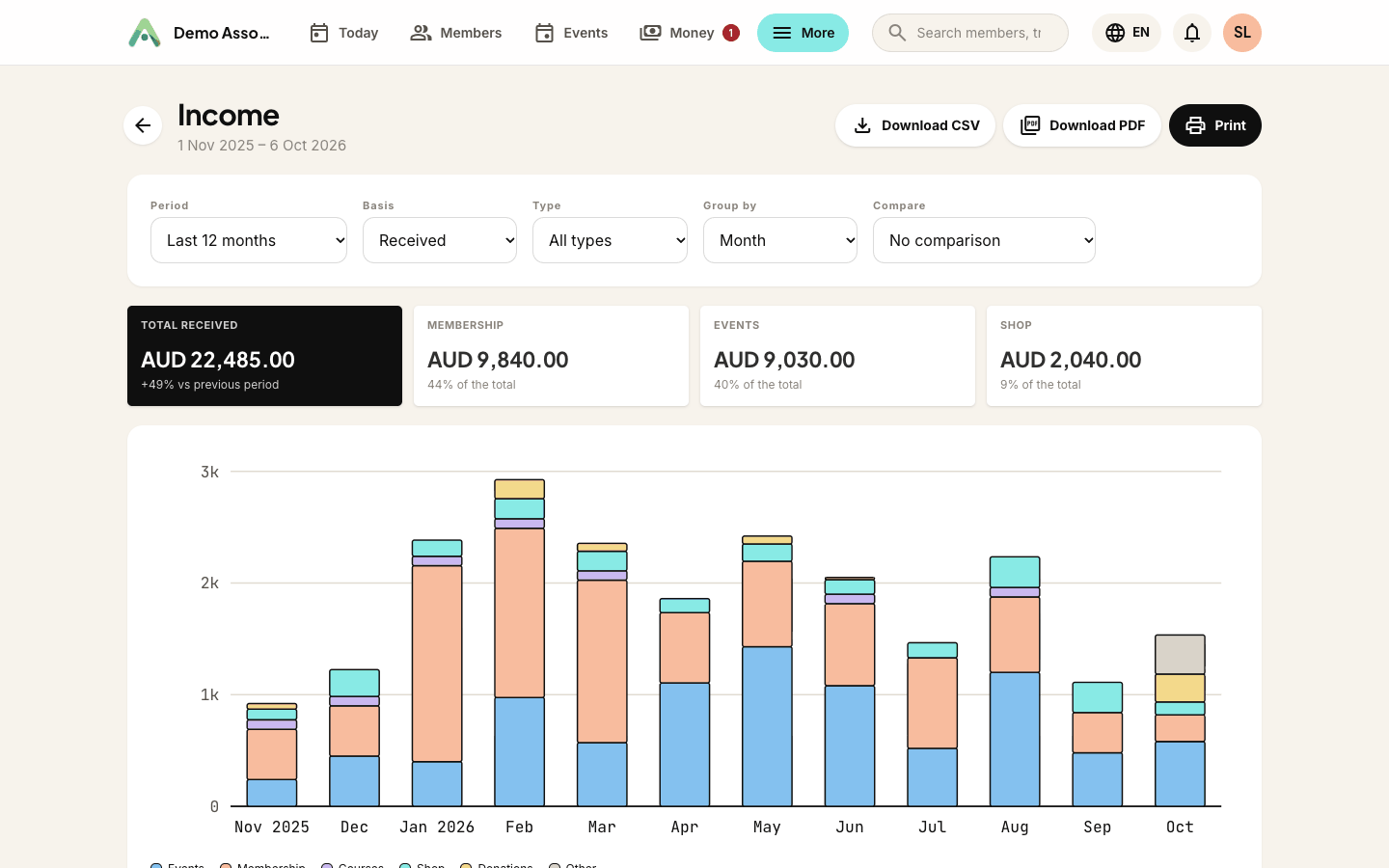
Income shows the money coming in, month by month (or by quarter, with Group by), split into Events, Membership, Courses, Shop, Donations and Other. These are the same types the Money tab uses.
Choose a Basis:
- Received counts payments on the day the money arrived. A payment that covered two invoices is split between them, so someone paying for a membership and an event ticket in one go shows up under both.
- Invoiced counts invoices on the day they were issued. Voided invoices and drafts are left out.
Refunds made during the period get their own line and are taken off the total, so the Total row in the table is what you actually kept. A refund counts against the type of payment it gave back, so filtering to Shop only takes off shop refunds.
A few more things you can do:
- Type narrows the report to one kind of income.
- Compare with Same period last year adds a dashed marker for the same month a year earlier.
- In the table, Membership is split into new members and renewals.
- Income per event ranks your events by what they brought in.
Money owed
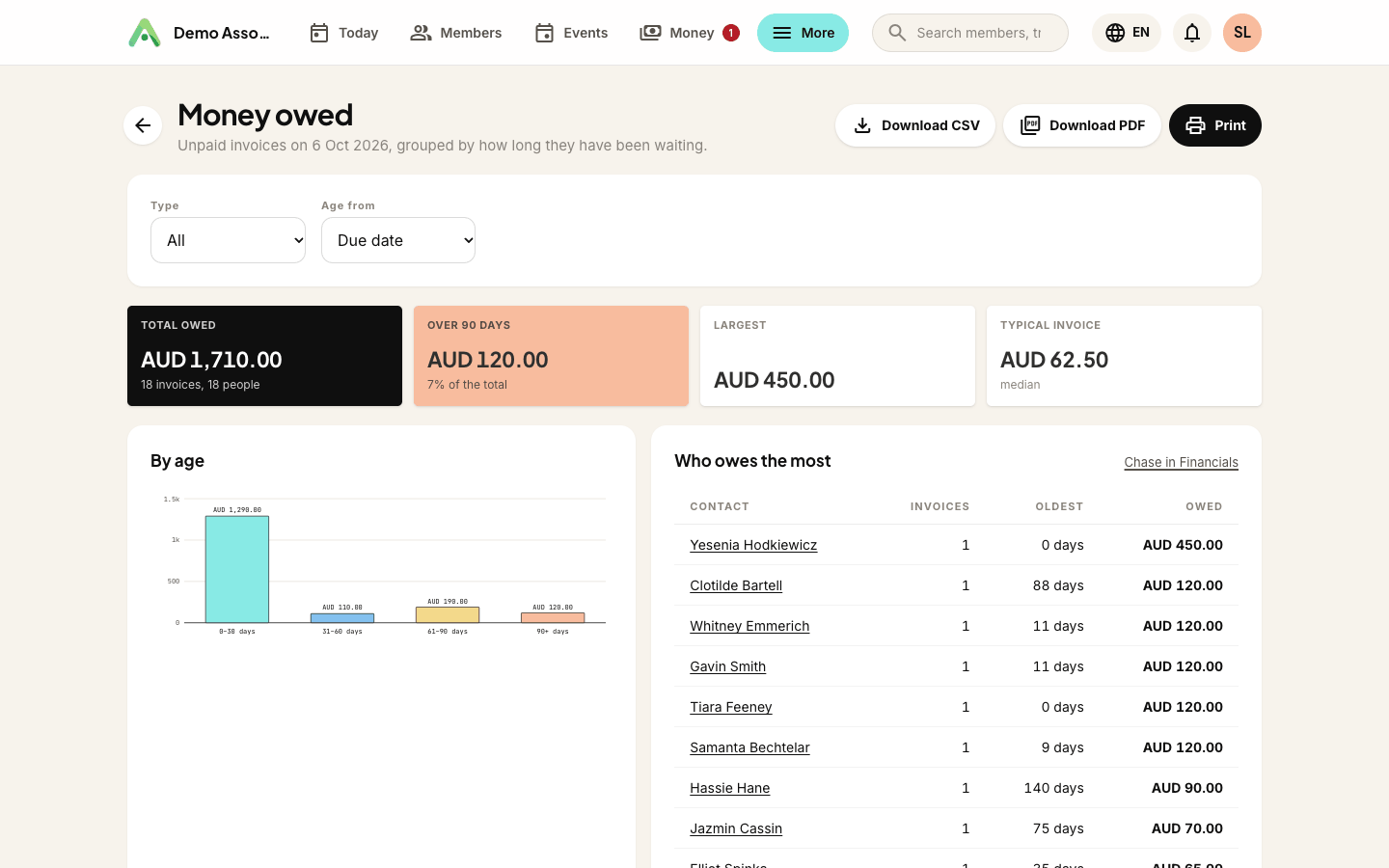
Money owed lists every unpaid invoice as of today, grouped by how long it's been waiting: up to 30 days, 31 to 60, 61 to 90, and more than 90 days.
- A part-paid invoice only counts for what's still owing.
- Drafts aren't counted, because nobody has been asked to pay them yet. The Unpaid filter on Money → Invoices works the same way, so clicking through shows the same invoices.
- Age from chooses whether age counts from the Due date or the Issue date. An invoice without a due date ages from the day it was issued.
- Type narrows it down, to membership invoices only for example.
The figures at the top show the Total owed (and how many invoices and people that is), how much is Over 90 days, and the Typical invoice. The typical invoice is the median, so one very large invoice doesn't skew it.
Who owes the most lists people by what they owe, with how many invoices and how old the oldest one is. Click a name to see their unpaid invoices under Money, or use Chase in Financials to work through the whole list there.
Downloading the list of names, as a CSV or PDF, needs a role that can Manage finances - the same permission as exporting invoices from Money → Invoices.
Tax summary
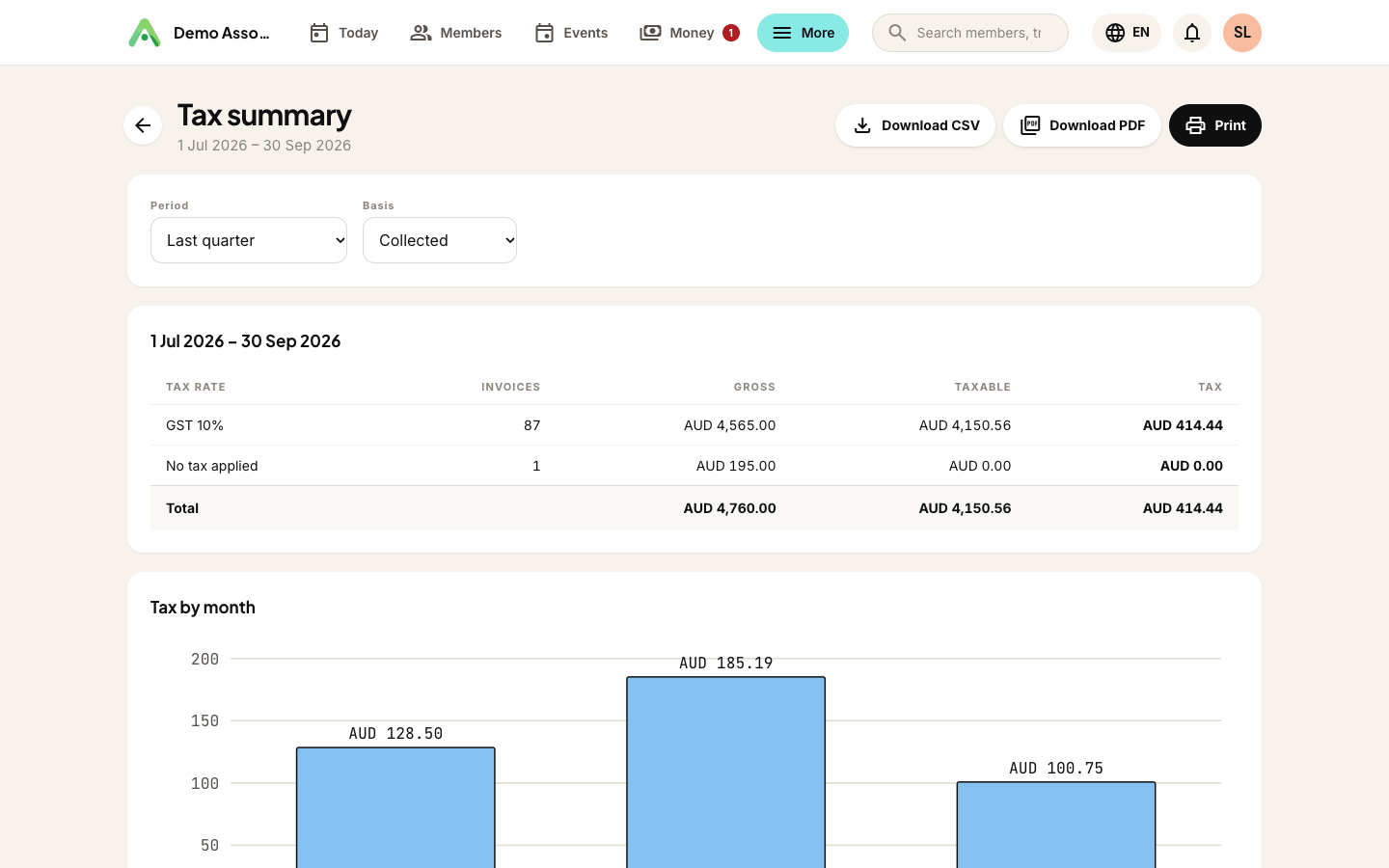
The Tax summary adds up the tax on your invoices by rate, ready for your BAS, GST or SST return. It opens on last quarter.
Choose the Basis that matches how you report:
- Collected (cash basis) counts invoices that have been paid, in the period they were paid.
- Billed (accrual basis) counts every invoice issued in the period, paid or not. Voided invoices and drafts are left out.
Each row is one tax rate, with the number of Invoices, the Gross amount, the Taxable amount and the Tax. The figures come from each invoice line's tax as it was when the invoice was issued. Changing a rate later never changes an old return, and an invoice that mixes a taxed membership with an untaxed donation is split across the right rows. Tax by month shows how it built up over the period.
If you haven't charged any tax, the report says so. Tax rates are set up under More → Settings → Tax.
The Tax summary is a starting point for your return, not a replacement for your accountant. Check the figures against your own records before you lodge anything.
Still stuck? Reach your Anggota contact and we will walk you through it.
mailContact us