

EN, Language: English
Language
EN, Language: English
Help centre
Guides and answers for running your organisation on Anggota.
Member vehicles (car & motorbike clubs)
Built for car and motorbike clubs: members add the vehicles they're proud of to their own profile (photos, make, model, year and a story), and an optional public Club Vehicles directory shows the whole garage off on your website, with filters and a photo lightbox.
Turning it on
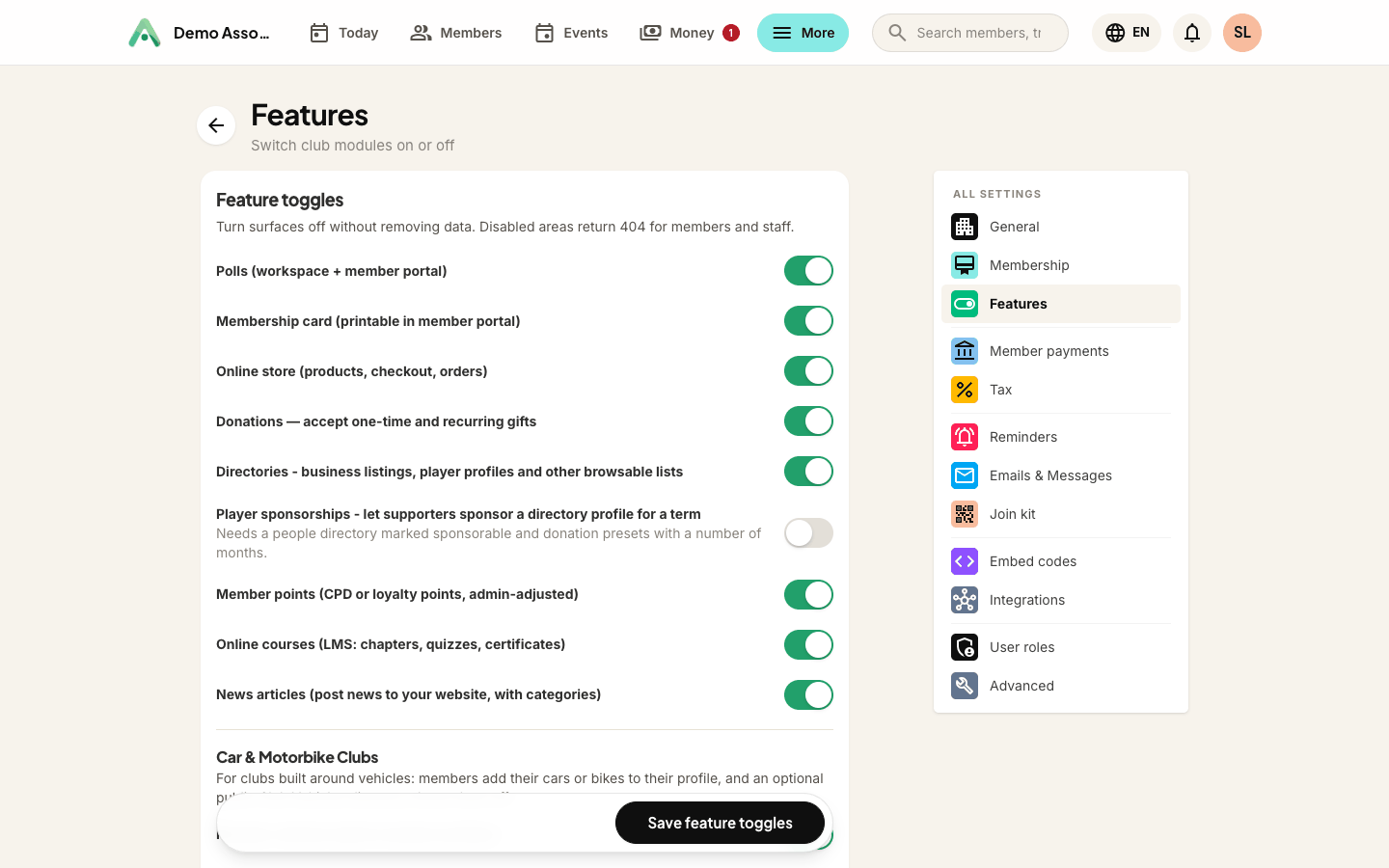
Member vehicles is the master switch, under More → Settings → Features. Turn it on and members get a Vehicles item in their portal, while a Vehicles screen appears in your workspace.
Everything else is configured on that screen, under Vehicle settings: club type, the public directory, and what the directory reveals about owners.
- Club type - car club, motorbike club, or both. This only changes which makes members can pick from.
- Club Vehicles directory - the public showcase: a website section, a browsable directory page, and an embed for your own website. Leave it off and vehicles stay internal to the workspace and members' own profiles.
- Show member city - off by default. Switch it on to show each owner's city on the directory and add a city filter.
- Show member name in the directory - and, when it is on, whether that is first name only or the full name.
Treat owner names as a privacy decision. Publicly pairing a car worth stealing with its owner's full name can be a genuine safety risk, which is why first name only is the default. Untick the setting entirely and vehicles appear with no owner name at all.
What members do
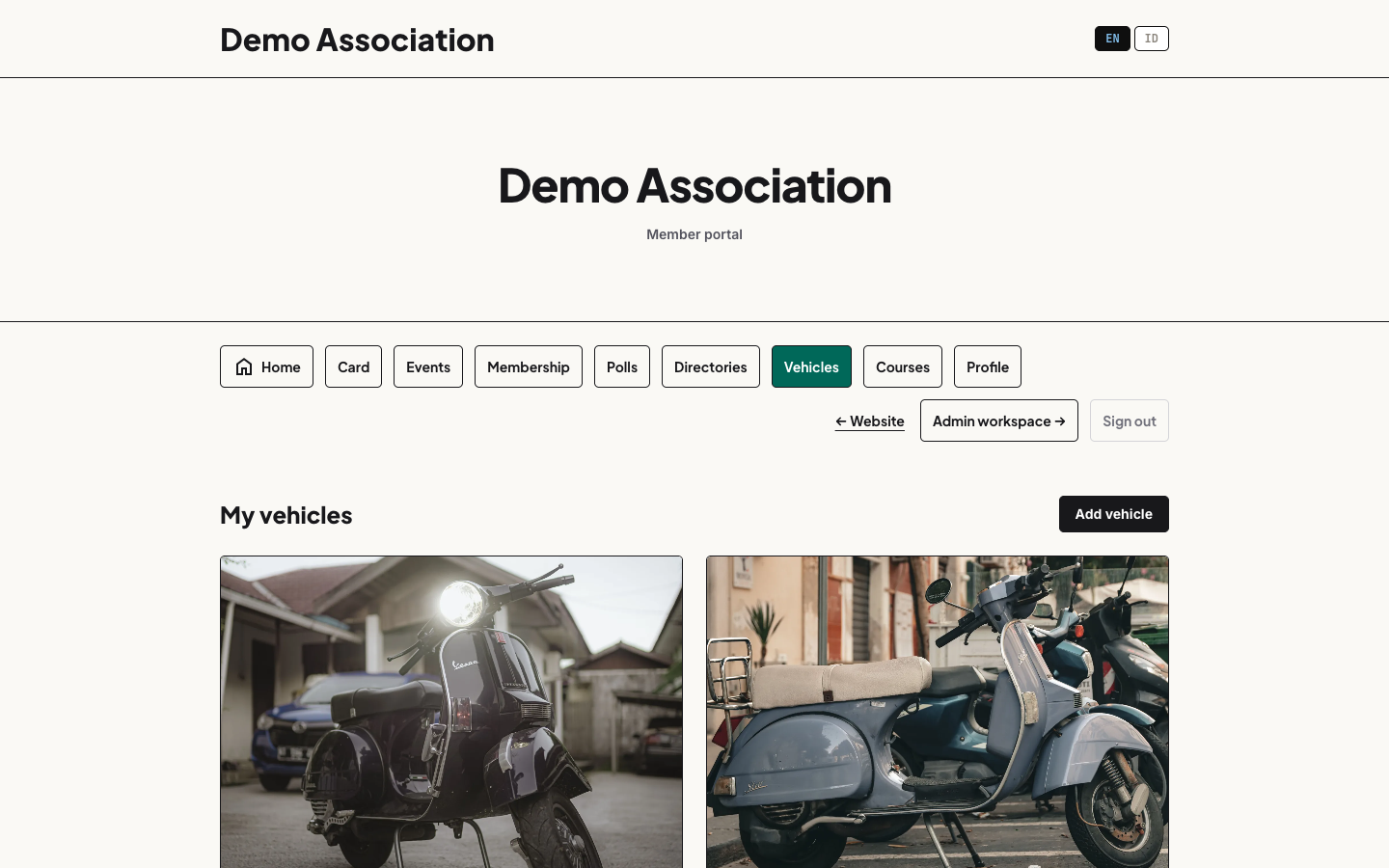
Signed-in members open Vehicles in their portal menu and build their garage, up to 10 vehicles each:
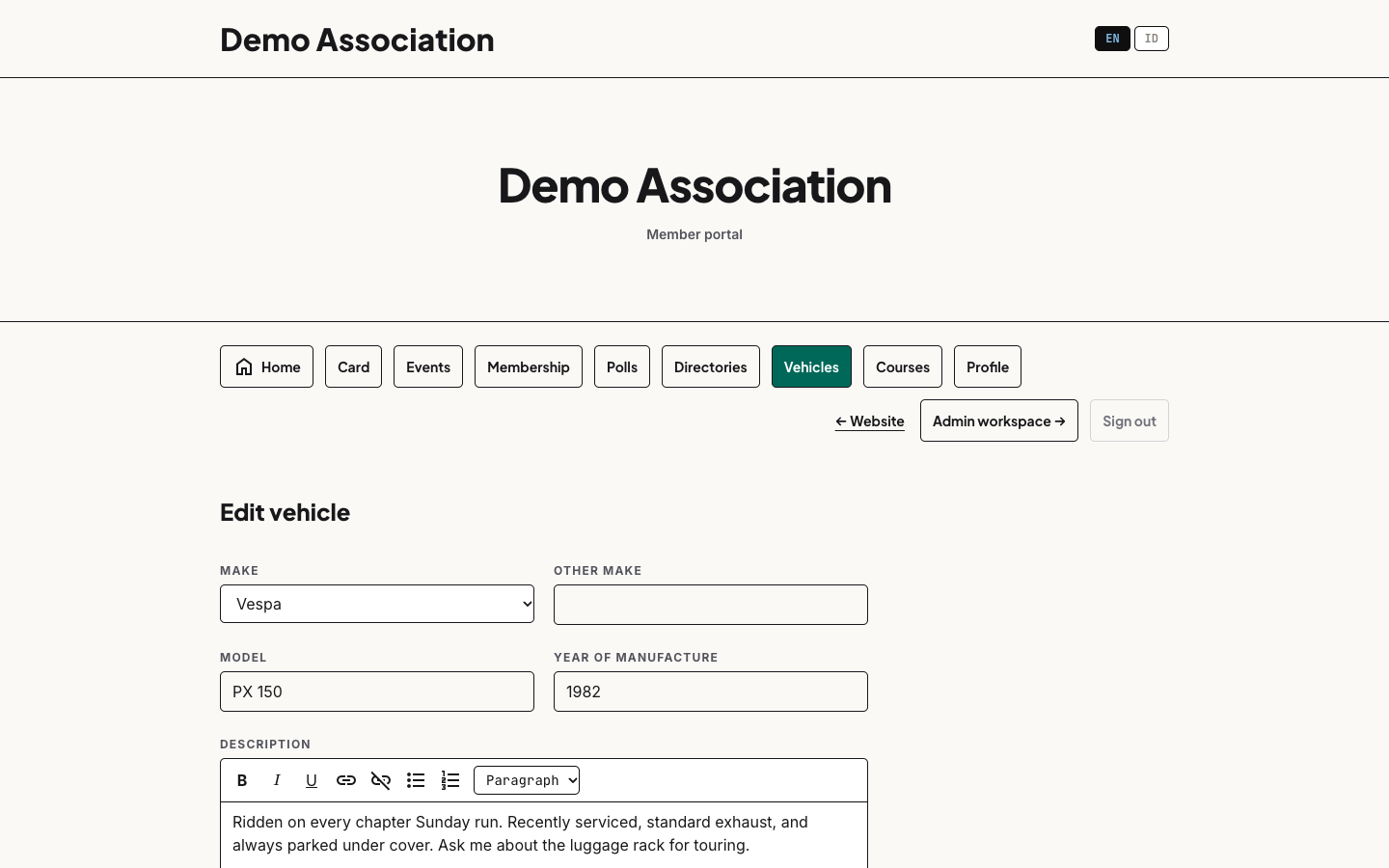
- Make comes from a set list (filtered to your club type) so the directory's make filter stays clean; anything unusual goes in Other make as free text.
- Model, year of manufacture, and a rich-text description for the story of the build, the resto, the Sunday runs.
- Photos - a cover plus up to 10 more. The first photo is the cover shown on directory cards; change the order with the arrow buttons. Uploads are optimised automatically and virus-scanned like everything else in your media library.
- Show this vehicle in the club directory - each vehicle has its own visibility switch, so a member can keep a project build private until it's ready.
What you see as an admin
- Every new vehicle emails your organisation's contact address with the cover photo, the vehicle, and the member's name. Vehicles publish immediately (there's no approval queue), so this email is how you keep half an eye on what's appearing.
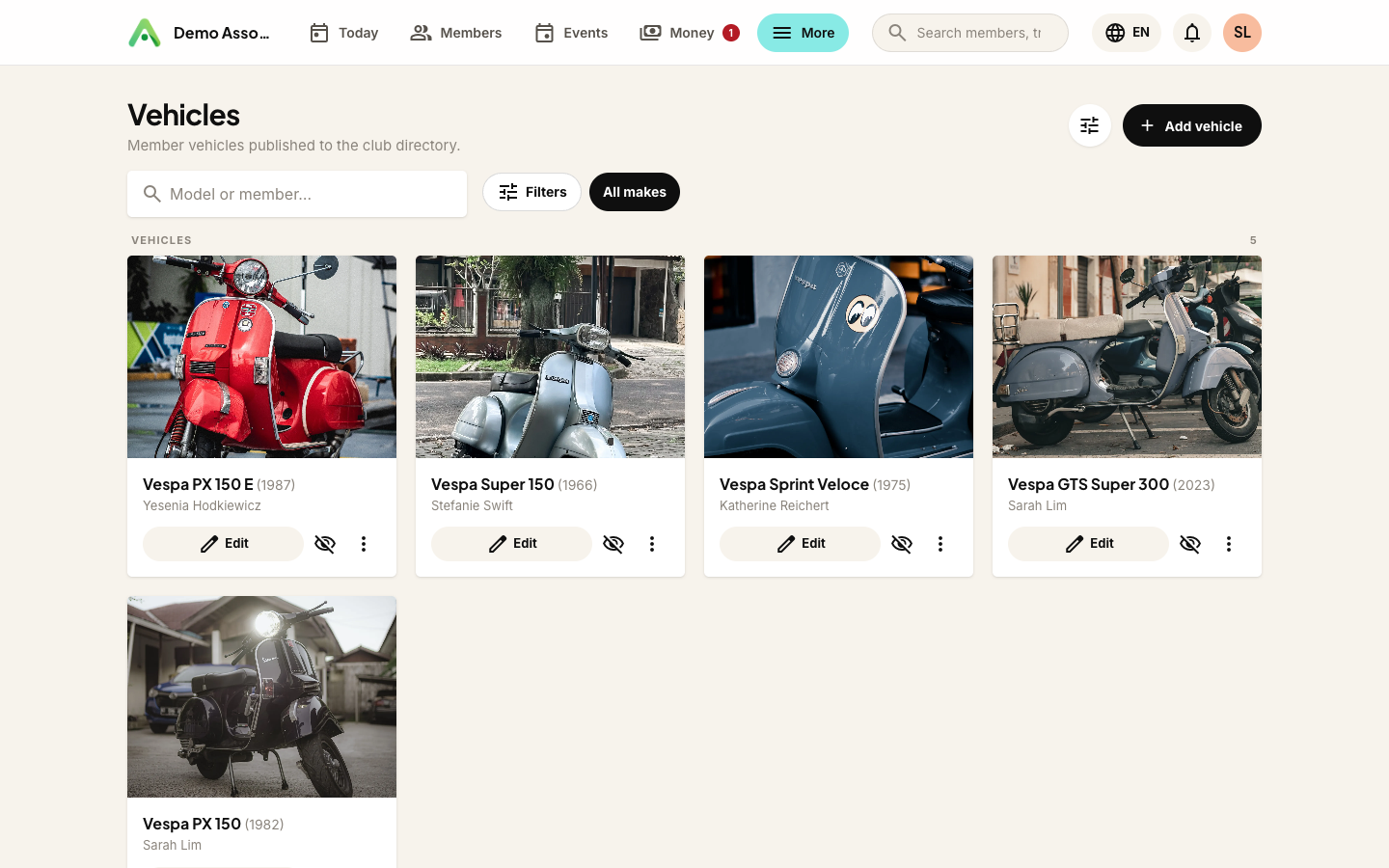
- The Vehicles screen in your workspace lists every member vehicle with search and a make filter. From there you can edit a listing, hide it from the directory, or delete it.
- Each member's record also shows their vehicles, linking straight to the editor, and carries an Add a vehicle for this member button for the member who sends you photos and asks you to do it.
- You can also add one from the Vehicles screen itself. Start typing the member's name or email in the Member field, pick them from the results, and fill in the rest as normal. Type at least two letters to get matches.
A vehicle you add as an admin counts towards that member's vehicle limit, exactly as one they added themselves would. If they are already at the limit, Anggota says so rather than quietly making an exception.
The public Club Vehicles directory
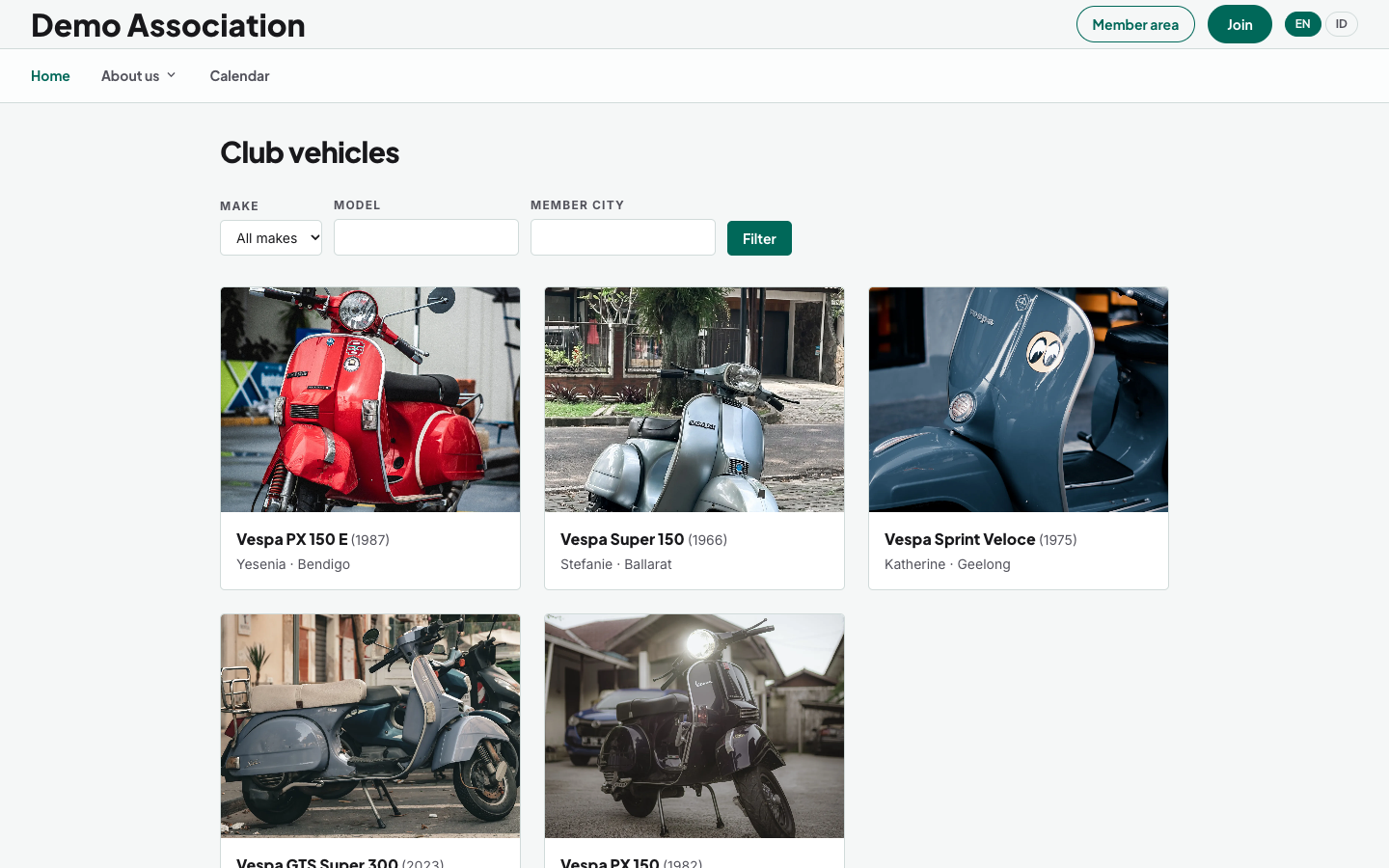
With the directory switched on, your vehicles appear at anggota.app/o/your-club/vehicles, and you can add a Club vehicles section to any page of your Anggota website (it shows the latest vehicles with a View all button).
- Cards show the cover photo, make and model, and the member's name, plus their city if you enabled it.
- Visitors filter by make, model, or member city.
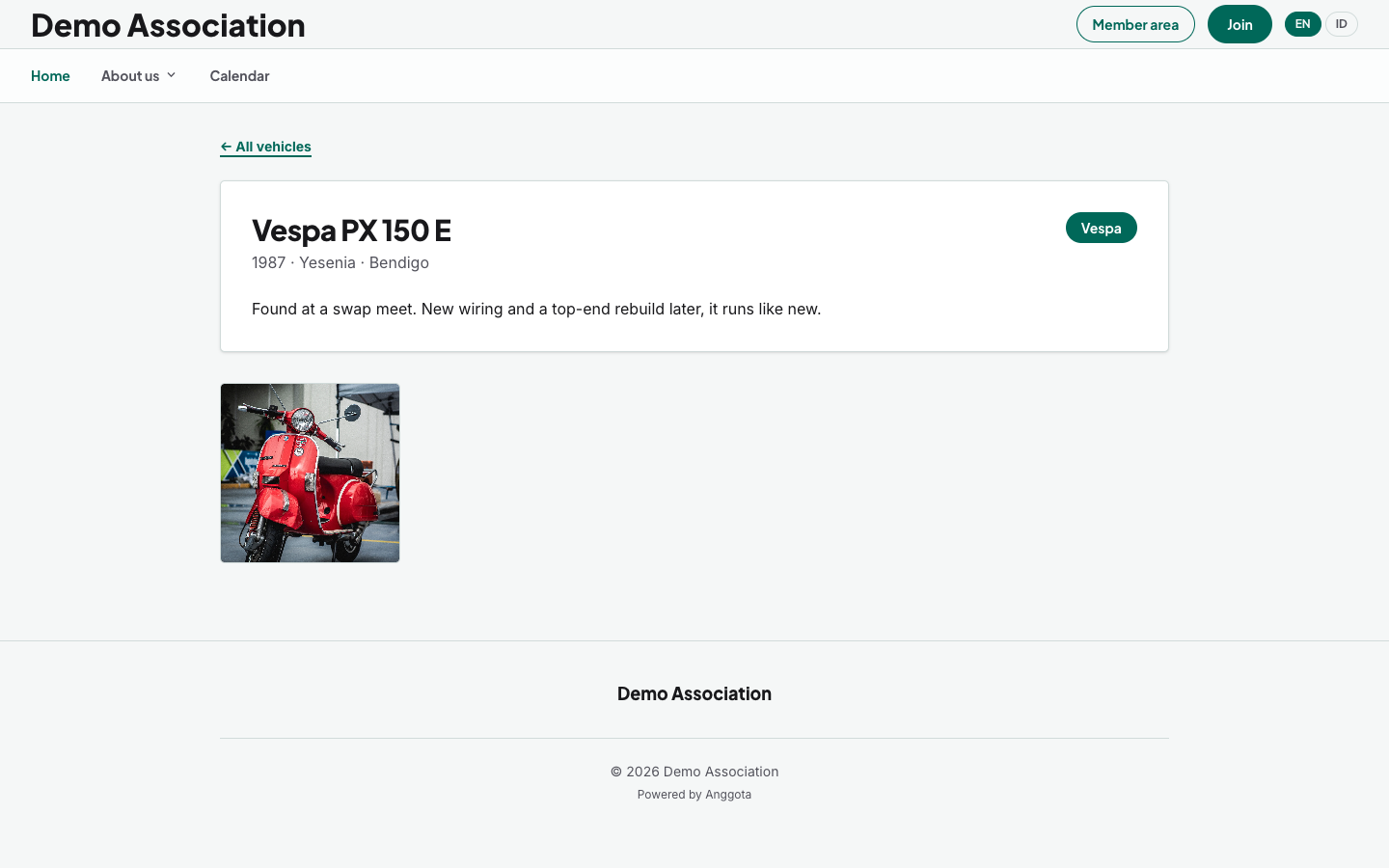
- Each vehicle has its own page with full details, the description, and a photo grid (five columns on desktop, two on a phone), where any photo opens a full-screen viewer you can browse with the arrow keys.
Only current members appear. The directory lists a vehicle only while its owner's membership is current and the member has left it visible. If a membership lapses, their vehicles drop off the public directory automatically, and they come back the moment the member renews. Nothing is deleted either way.
On your own website
The directory also ships as an embed. Open Settings → Embed codes and copy the Club vehicles snippet onto any page of your existing website. You get the same cards, filters and lightbox, using your site's typography.
Questions people ask
Can a member add someone else's vehicle? Members only manage their own garage. Staff can edit any listing from the workspace Vehicles screen.
What shows publicly about the member? Their name as it appears in your records, and their city, but only if you switched that on. Nothing else: no contact details, no membership information.
Is there an approval step? No. Vehicles publish straight away, and the notification email keeps you informed. If something needs to come down, Hide from directory removes it from public view without deleting the member's work.
What are the limits? 10 vehicles per member; a cover plus 10 photos per vehicle; photos up to 10 MB each, optimised on upload.
Still stuck? Reach your Anggota contact and we will walk you through it.
mailContact us