

EN, Language: English
Language
EN, Language: English
Help centre
Guides and answers for running your organisation on Anggota.
Member points
Member points let your organisation recognise participation with a running balance on each member, whether that is professional development (CPD) points, loyalty points, volunteer credits or whatever else fits. You choose what they are called, admins give a reason every time they adjust a balance, and members can see their own balance in the portal.
This is not Saldo Anggota. Saldo pays for WhatsApp messages; member points are recognition you award to members, and they cost nothing.
Switching points on
Points are off until you want them. Go to More → Settings → Features and tick Member points, then save.
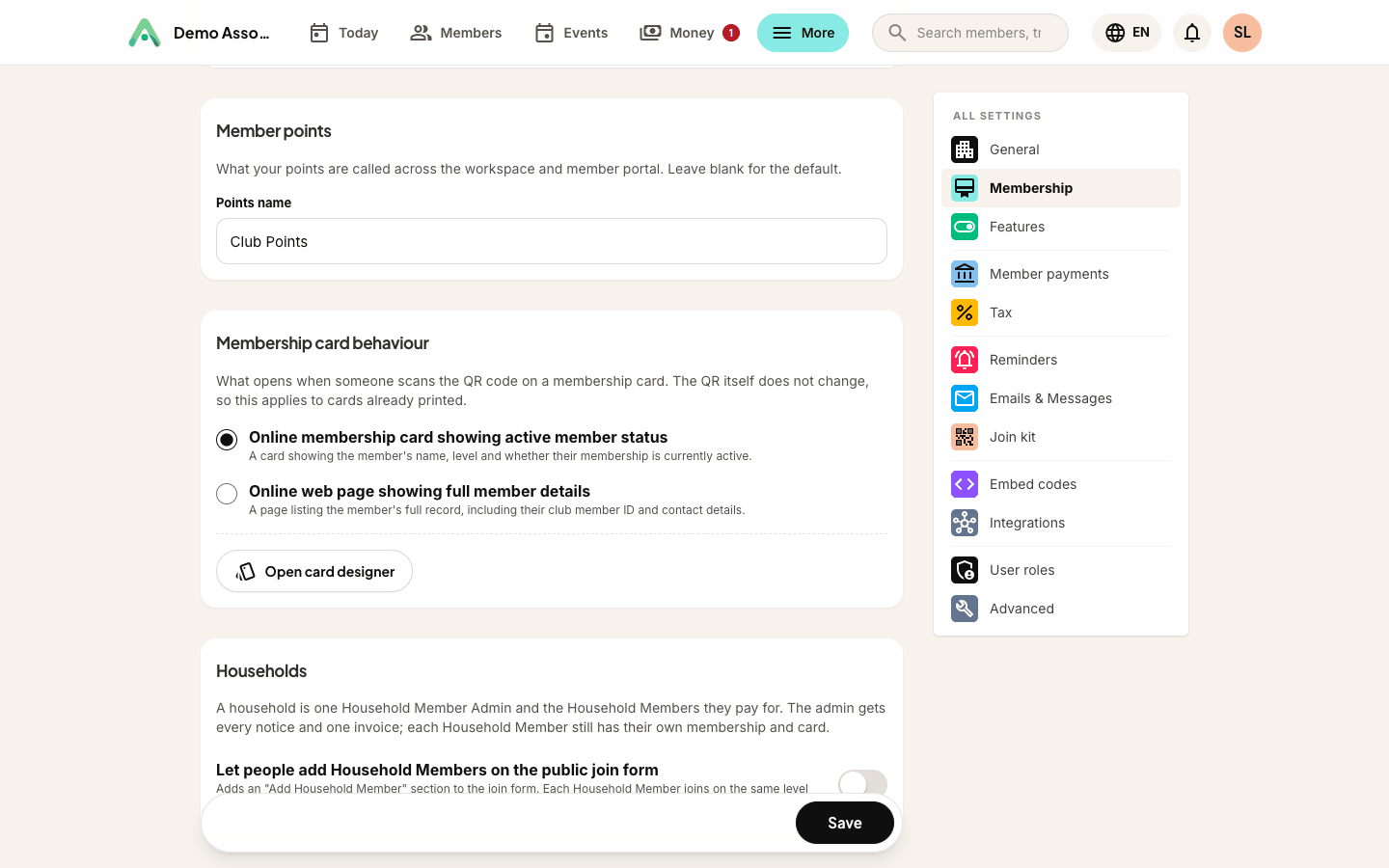
A Member points section appears in Settings → Membership, where you can name your points: CPD Points, Poin Komunitas, anything up to a few words. Leave it blank and they are called Point Anggota. The name you choose appears on member profiles, in the member portal, and on event forms.
Where the balance lives
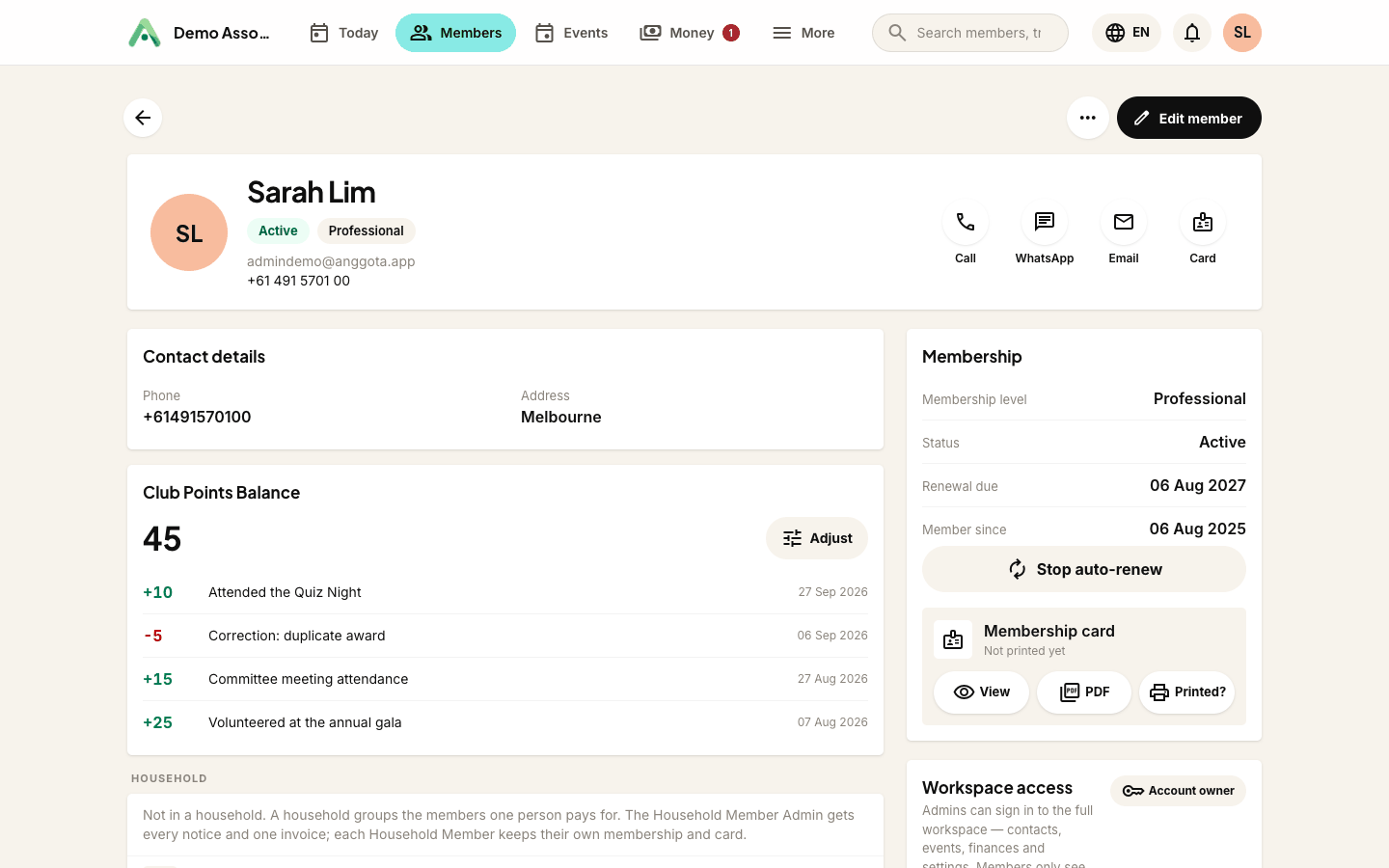
Open any member and you will see their points balance with the most recent changes underneath: what changed, why, and when. The same card appears on the member's edit screen.
Members see their own balance on their portal profile, read-only. There is no self-service spending or transferring; points move only when your team moves them.
Adjusting a balance
Adjusting points is deliberately not open to everyone with workspace access. It needs either a full admin, or a role you have granted the Adjust member points area under Settings → User roles (see Giving your team access).
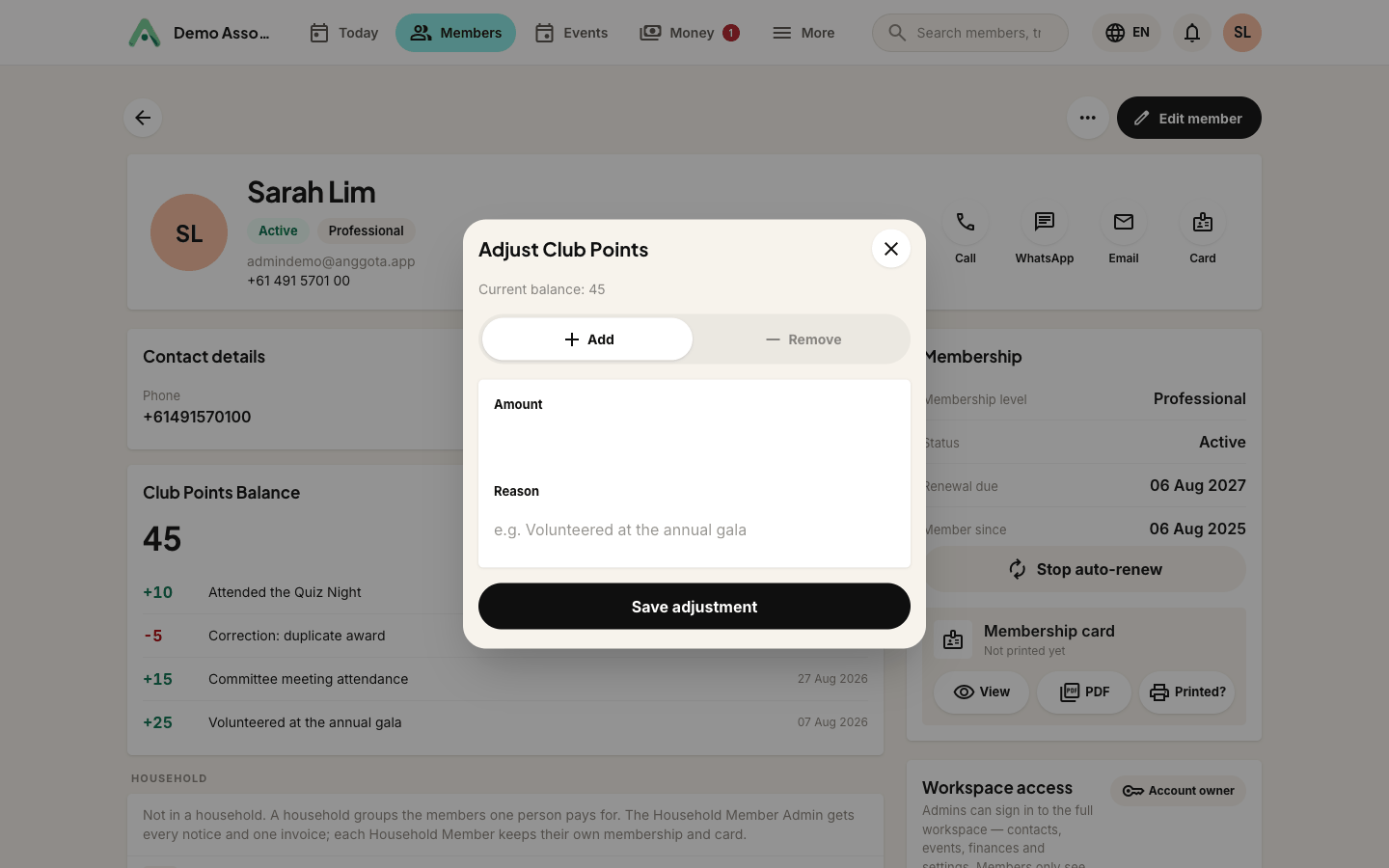
If you hold that right, an Adjust button sits next to the balance. It opens a small form:
- Add or Remove - which way the balance moves.
- Amount - whole numbers only.
- Reason - required, always. "Volunteered at the annual gala", "Correction - duplicate award", whatever actually happened.
A balance can never be taken below zero. If you try, Anggota tells you the current balance and stops.
The audit trail
Every points movement (manual adjustments, event awards, removals) is a permanent ledger entry recording the amount, the balance after, who did it, when, and why. Nothing is ever edited or deleted; corrections are new entries. When an award is undone (say an attendance was recorded by mistake), the ledger shows both the original award and its reversal.
So if someone asks "why does Budi have 45 points?", you can look it up in the record rather than trying to remember.
Earning points at events
Points work best alongside events: set a points credit on an event and every member recorded as attending is awarded it automatically. That, including scanning membership cards at the door, has its own guide: Attendance and QR check-in.
Questions people ask
Can I rename the points later? Yes, any time in Settings → Membership. The name is presentation only, and balances and history are untouched.
What happens if I switch the feature off? The screens disappear but nothing is deleted. Balances and the full history are exactly as you left them when you switch it back on.
Can members redeem points for anything? Not yet. Today points are a recognition balance. If redemption matters to your organisation, tell us via Support.
Can a balance be negative? No. Removals stop at zero. (The one exception: undoing an event award after those points were already spent elsewhere can dip below zero, because the record has to stay truthful.)
Still stuck? Reach your Anggota contact and we will walk you through it.
mailContact us