

EN, Language: English
Language
EN, Language: English
Help centre
Guides and answers for running your organisation on Anggota.
Adding members
Your member directory is where everyone in your organisation lives in Anggota. Each contact has one profile that stays current, holding their details, membership, payment history and activity in one place.
Add a member by hand
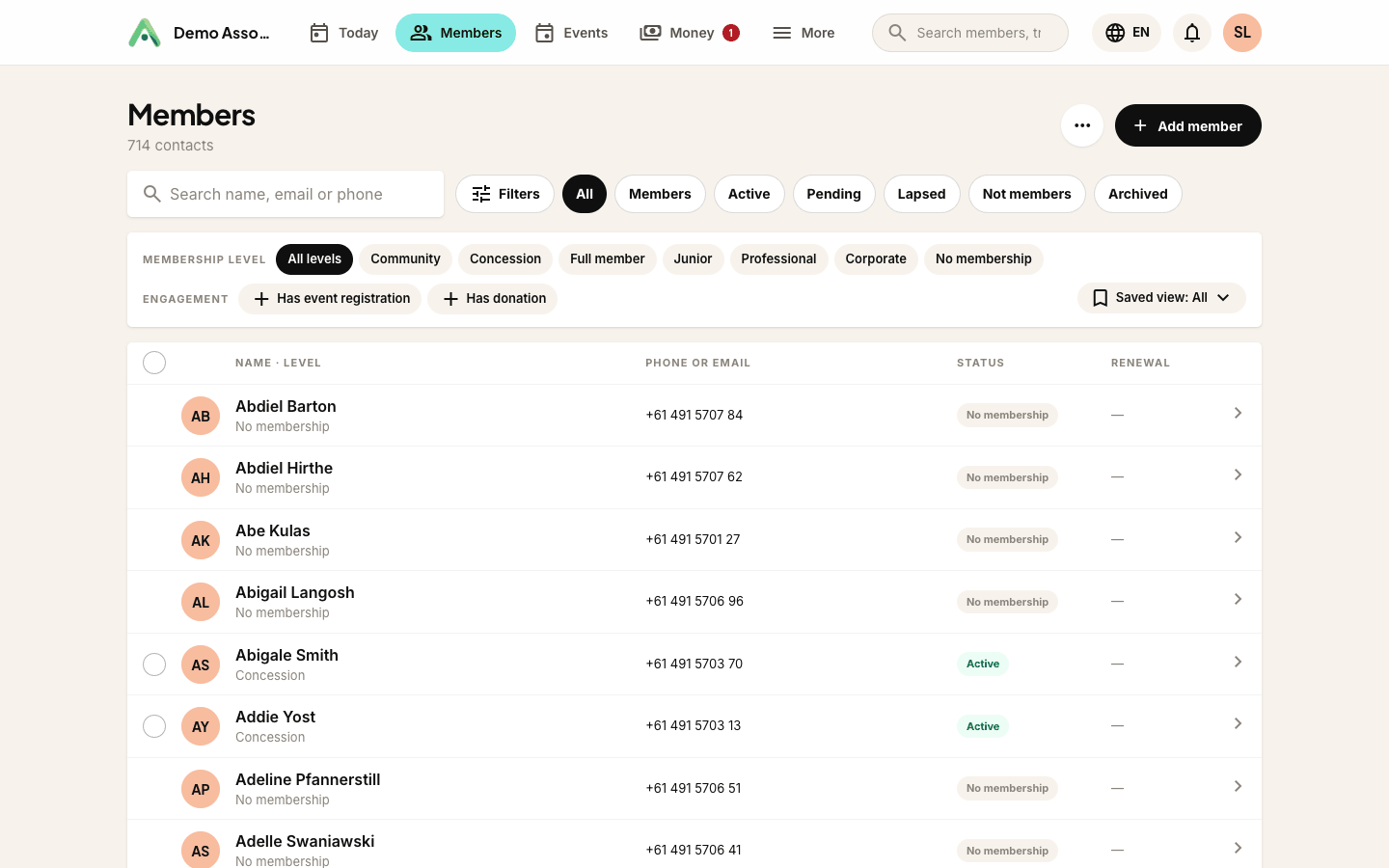
- Open the Members tab in the bar at the top.
- Click Add member in the top-right.
- Fill in at least a name and email address, then save.
That is all it takes to create a profile. You can add more detail (phone, address, custom fields) at any time.
Let members add themselves
You do not have to enter everyone yourself. Share your public join page and members fill in their own details and pay, and their profile is created automatically, so your list stays accurate without anyone typing the same thing twice.
Find members fast
The list opens with your active members first, then alphabetically. Use the filter bar to narrow it down:
- Membership level - show a single level, or people with no membership.
- Status - active, pending, lapsed, cancelled, or archived contacts.
Filters stay applied as you page through, so you can work through a segment without losing your place.
View and edit a member
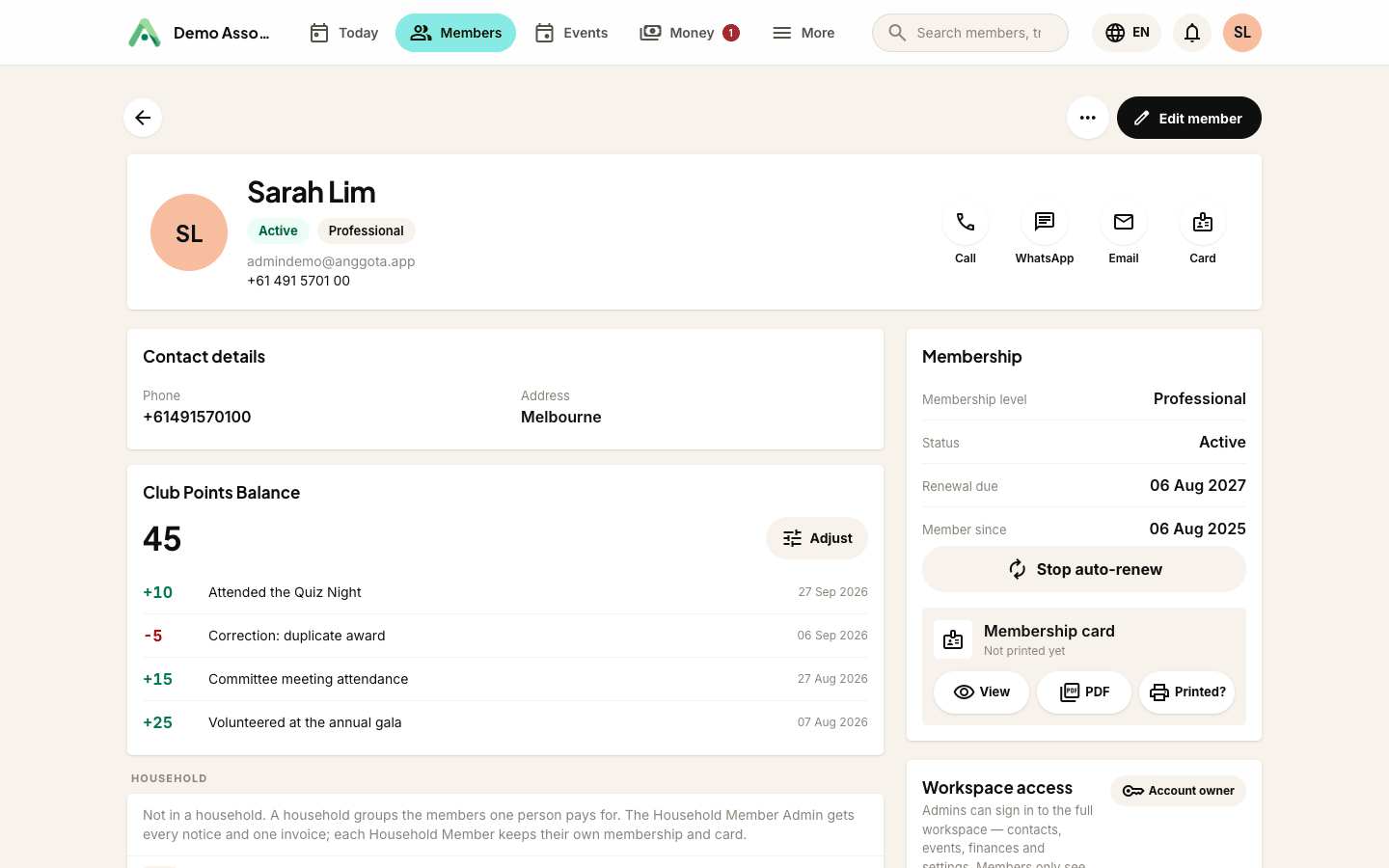
Click a member to open their profile view: their details, membership, groups and tags, and a full history of invoices, payments and event registrations, including any custom-field answers. Click Edit to change anything, or use the Edit link straight from the list when you already know what you want to change.
Tip: an email address is required to create a member, because it is how renewals, receipts and event confirmations reach them. If you are importing a list without emails, add them first.
Next, learn how to import an existing spreadsheet, find anyone quickly, or organise people with segments and tags.
Still stuck? Reach your Anggota contact and we will walk you through it.
mailContact us