

EN, Language: English
Language
EN, Language: English
Help centre
Guides and answers for running your organisation on Anggota.
Membership reports
The three membership reports answer the questions a committee asks most often: how many members do we have, are we growing, and who needs a nudge to renew.
Membership overview
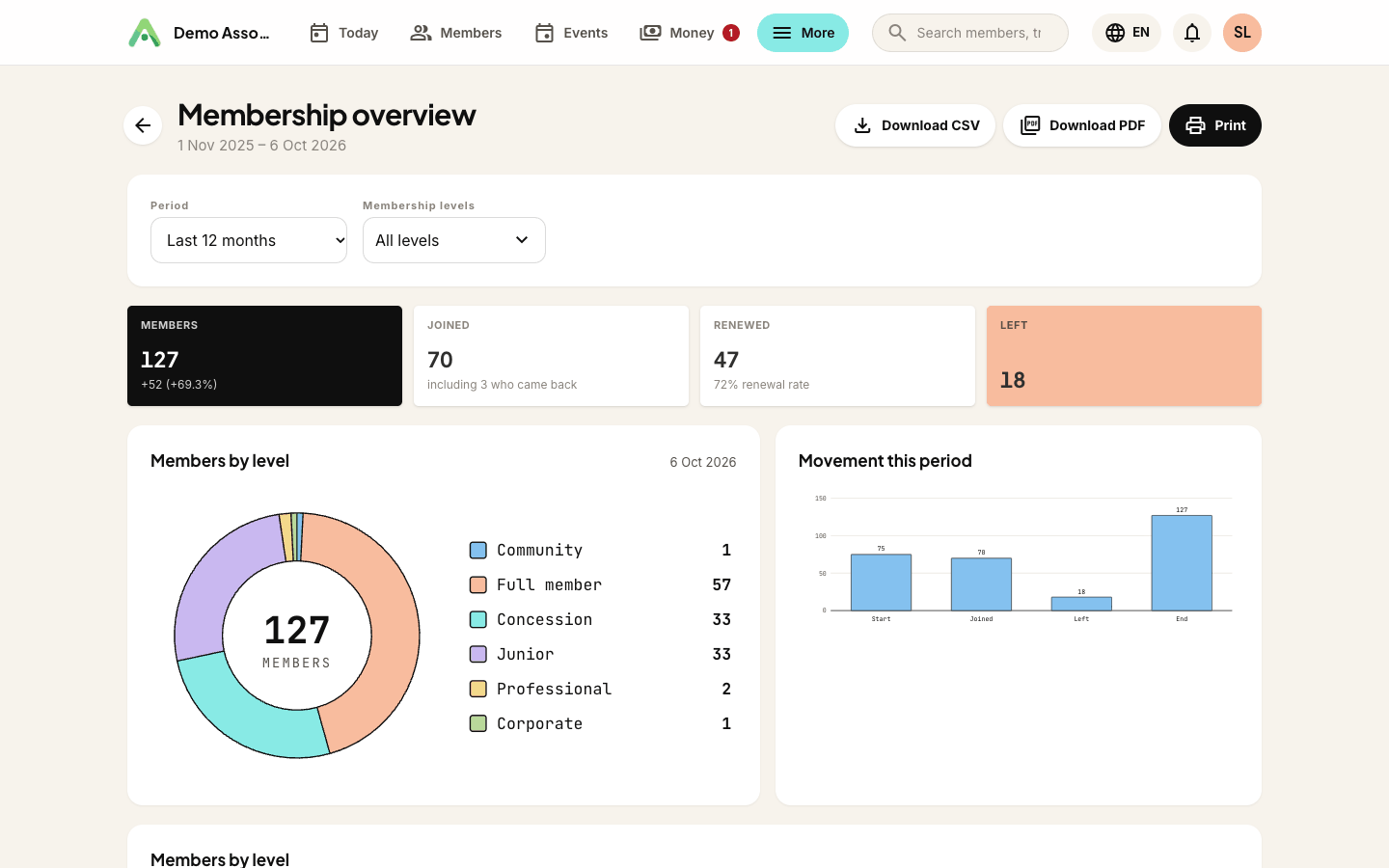
The overview compares your members on the last day of the period with the first day.
Along the top:
- Members - how many current members you had at the end of the period, and the change since it started.
- Joined - new members during the period, including anyone who came back after lapsing.
- Renewed - members who renewed during the period, with your renewal rate.
- Left - members who lapsed or were removed.
Below that, Members by level shows the split at the end of the period, Movement this period shows how you got from the starting figure to the finishing one, and the table gives each level's start, end, change, annual fee and Annual value.
Annual value is what the members at each level pay in a year at today's fees. Life and other one-off levels count as nothing. So do the extra people in a group or family membership, because their places are covered by the person who pays for the group.
Use Membership levels to narrow the report to just the levels you care about.
Membership trend
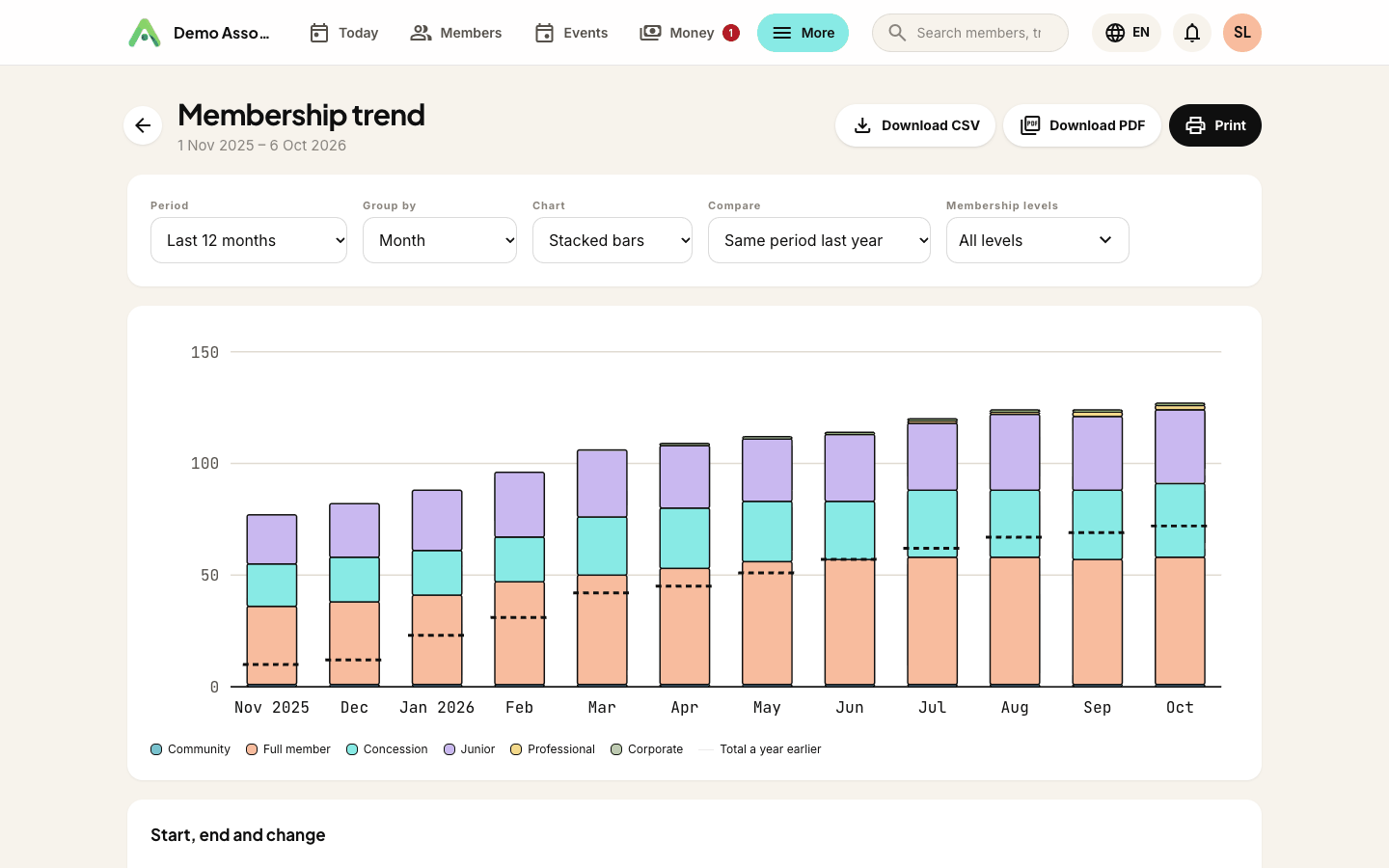
The trend shows your members at the end of each month, stacked by level. Change Group by to Quarter for a longer view, or switch Chart to Lines to see each level on its own line.
Set Compare to Same period last year and a dashed marker shows the total a year earlier, so you can tell at a glance whether this March is better than last March.
The table underneath gives each level's first and last figure, and the change between them.
Renewals and lapses
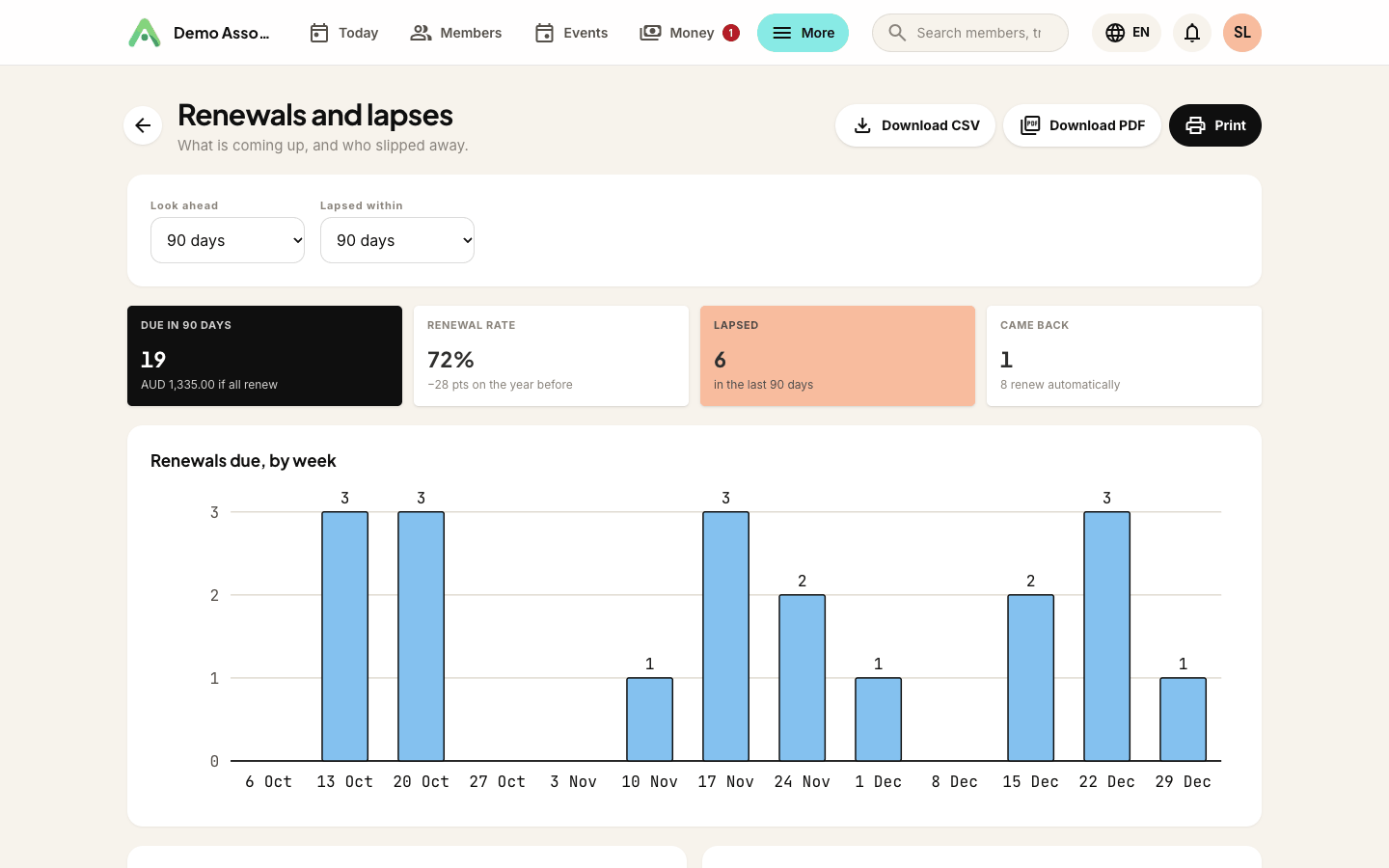
This is the working report: who to remind, and who to win back.
- Look ahead sets how far forward to look for renewals: 30, 60 or 90 days.
- Lapsed within sets how far back to look for lapses: 30 days, 90 days or 12 months.
The figures at the top show how many renewals are Due in that window and what they're worth if everyone renews, your Renewal rate over the last 12 months (against the year before), how many members Lapsed, and how many Came back after lapsing.
Renewals due, by week shows where the busy weeks are. The Coming up list gives each member, their level and the date they're due, and marks the ones who renew automatically. Recently lapsed lists the people who didn't renew and haven't come back since. Each list shows the first ten; Show all opens the rest, and Open in Members takes you to your full member list.
Group and family memberships are due once, for the whole group, so only the person who pays is counted in what the renewals are worth.
How the renewal rate is worked out
Your renewal rate is the members who renewed, divided by the members who either renewed or lapsed. Someone an admin removed by hand doesn't count either way. Neither does a free level rolling over on its own, because nobody actually decided to stay.
The Membership overview uses the same rule for its period, so the two reports always agree.
Where the history comes from
Anggota records every join, renewal, level change and lapse as it happens, and the reports replay that history to work out who was a member on any given day.
For the time before Reports existed, the history is rebuilt from what's already on file: join dates, lapse dates and paid renewal invoices. Level changes from back then were never stored, so rebuilt history counts each member at one level for that stretch - the level Anggota first saw them at. When a report reaches back into rebuilt history, a note under it says so, along with the date the full record starts.
A few things worth knowing about new members:
- Added by hand with a past start date - they count from that date, and their paid renewal invoices fill in the years between. Correct the start date later and the history follows.
- Imported from a spreadsheet - they count from the day of the import, because the import doesn't include when they first joined. Lapsed members in the spreadsheet don't appear in past months at all, since there's no way to tell when they were members.
Still stuck? Reach your Anggota contact and we will walk you through it.
mailContact us