

EN, Language: English
Language
EN, Language: English
Help centre
Guides and answers for running your organisation on Anggota.
Welcome to Anggota
Anggota is where your organisation keeps its members, memberships, events, payments and communications, all in the one place, so the admin side of running a club takes less of your time.
This help centre walks you through everything, step by step. If you are brand new, start with the quick setup checklist.
What you can do with Anggota
- Keep one tidy member list - profiles, custom fields, tags and segments, always up to date.
- Sell and renew memberships - set levels and renewal rules once, and let reminders do the chasing.
- Run events - publish a page, take registrations, and check people in on the day.
- Take payments your way - a QRIS code members scan, or your own PayPal, Xendit or DOKU account.
- Stay on top of the money - the Money tab has Payments and Invoices, each with its own filters. Donations and shop orders, if you take them, sit beside them.
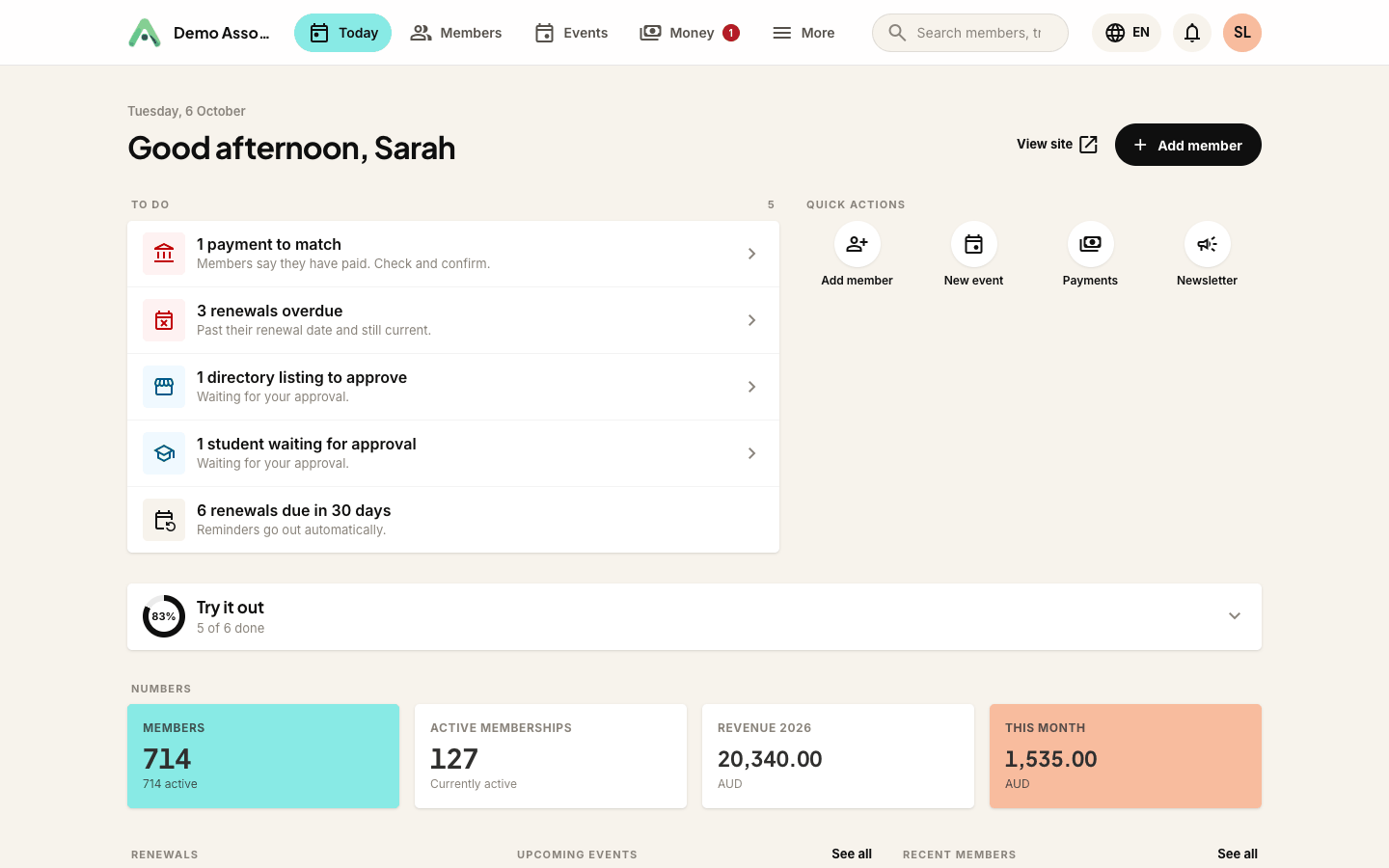
Your Today screen gives you the picture at a glance: a to-do list (payments to match, renewals overdue or coming up, approvals waiting), quick actions, and your key numbers: members, active memberships and money in.
Finding your way around
The bar across the top is your map. Today, Members, Events and Money cover day-to-day work. More opens everything else, grouped: emails and messages, your website, club modules such as donations or courses, reports, and set-up, which is where Settings lives. Your own account and billing sit behind your initials at the top right. On a phone the same tabs sit along the bottom of the screen.
Anggota works in English, Bahasa Indonesia and Bahasa Melayu. Your organisation runs in English plus one of the other two, and you can switch the app between them at any time using the globe button at the top right of the screen (Admin language).
Tip: every screen in Anggota works the same way, with a clear heading, your data below and the main action as a black button in the top-right.
Still stuck? Reach your Anggota contact and we will walk you through it.
mailContact us