

EN, Language: English
Language
EN, Language: English
Help centre
Guides and answers for running your organisation on Anggota.
Reports at a glance
Reports gives your committee and treasurer ready-made answers to the questions that come up at every meeting: how many members you have, who is due to renew, what came in last month and who still owes you money. There is nothing to set up. Pick a report, choose a period, then read it on screen, download it or print it.
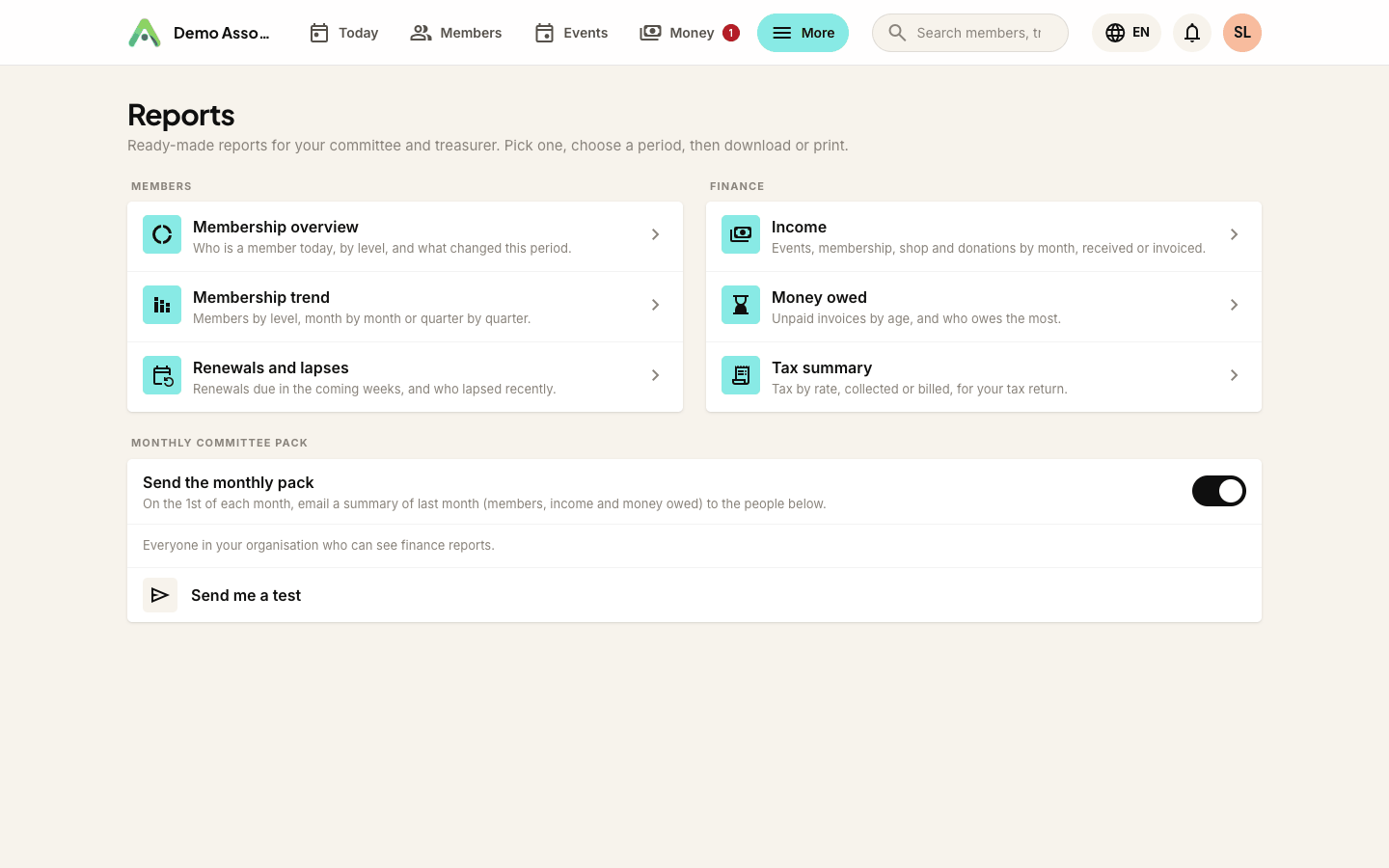
Finding Reports
Open More → Reports (under Insights) to see every report on one page, then pick the one you want.
There are six reports:
- Membership overview - who is a member today, by level, and what changed over the period.
- Membership trend - members by level, month by month or quarter by quarter.
- Renewals and lapses - renewals due in the coming weeks, and who lapsed recently.
- Income - events, membership, courses, shop and donations, month by month.
- Money owed - unpaid invoices by age, and who owes the most.
- Tax summary - tax by rate, collected or billed, for your tax return.
The first three are explained in Membership reports and the other three in Finance reports. Reports are included on every plan.
Who can see what
- Membership reports are open to everyone on your team with workspace access.
- Finance reports need a role that can See finances (or Manage finances). Without it, the finance reports simply don't appear, in the menu or on the Reports page. Admins see everything.
- Downloading a list of named people needs one more permission, because the list leaves Anggota once it's downloaded. The Renewals and lapses list needs Manage contacts & members, and the Money owed list needs Manage finances. Anyone who can open those reports can still read them on screen.
See giving your team access for who can do what.
Choosing a period
Most reports have a Period at the top: This month, Last month, Last 30 days, This quarter, Last quarter, This year, Last year, This financial year, Last financial year, Last 12 months, or Custom dates with your own From and To.
The financial year follows your currency. It starts on 1 July for organisations using Australian or New Zealand dollars, and on 1 January for everyone else.
Every date is in your organisation's own time zone, so a payment made at 11pm on the last day of the month lands in that month, not the next one.
Change a filter and the report updates straight away.
Downloading and printing
Each report has three buttons at the top:
- Download CSV - the report's main table, with the same filters, ready for a spreadsheet. Amounts are plain numbers in your currency.
- Download PDF - a single document for the committee, with the charts drawn as simple bars. Very long lists stop at 200 rows in the PDF, and it says so. The CSV always has everything.
- Print - a clean print layout, without the menu and buttons.
Demo data
While your workspace still has demo data in it, the report pages include it, with a banner so it's obvious. Downloads, PDFs and the monthly committee pack always leave demo data out, so nothing made up ends up in a spreadsheet or in someone's inbox.
One currency at a time
Reports add up money in your organisation's own currency. Anything recorded in another currency is left out of the totals, and a note under the report tells you how many records that was, so nothing is quietly mixed in at the wrong value.
Still stuck? Reach your Anggota contact and we will walk you through it.
mailContact us