

EN, Language: English
Language
EN, Language: English
Help centre
Guides and answers for running your organisation on Anggota.
Attendance and QR check-in
Attendance tracking answers a simple question your registration list cannot: who actually came? Staff scan each member's membership card QR at the door (or mark them off by name) and Anggota keeps the list, once per member, with no double-ups.
It pairs well with member points: give the event a points credit and everyone recorded as attending is awarded it automatically. Points are optional though, and attendance tracking works fine on its own.
What you need
- The Membership card feature switched on (More → Settings → Features), because the card's QR code is what gets scanned.
- To award points for attending: the Member points feature too.
Setting up an event
When creating or editing an event, tick Track member attendance. If points are enabled you will also see a points credit field, which is the number of points each attendee earns. Leave it blank for attendance without points.
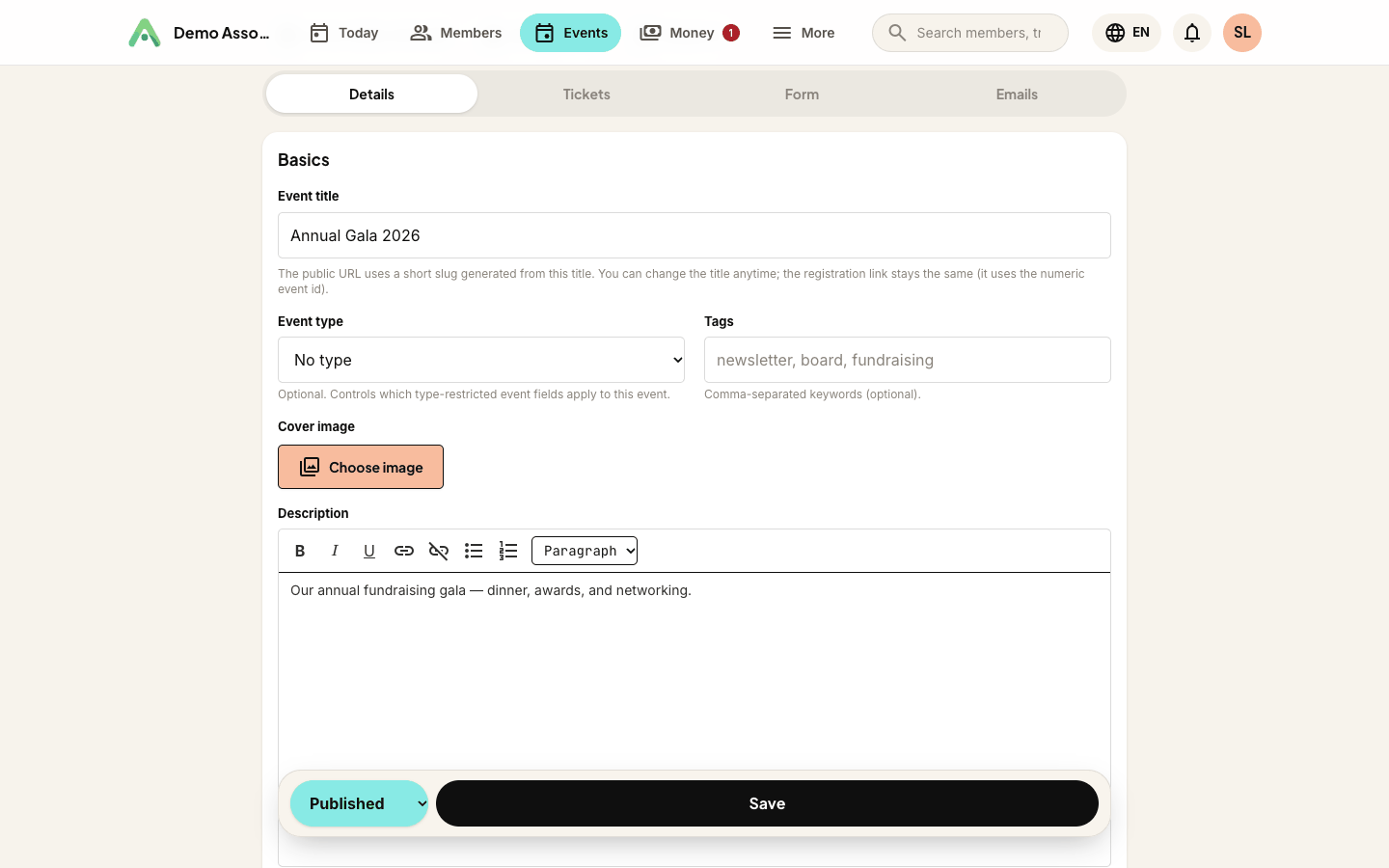
Once tracking is on, a Manage Attendance button appears at the top of the event's view and edit screens for anyone allowed to use it: full admins, roles with the Events area, and roles with the Adjust member points area.
At the door: scanning
Open Manage Attendance on your phone and tap Scan Member QR Code. Your browser will ask permission to use the camera the first time, so allow it. Then point the camera at the QR code on the member's membership card, on their phone screen or printed.
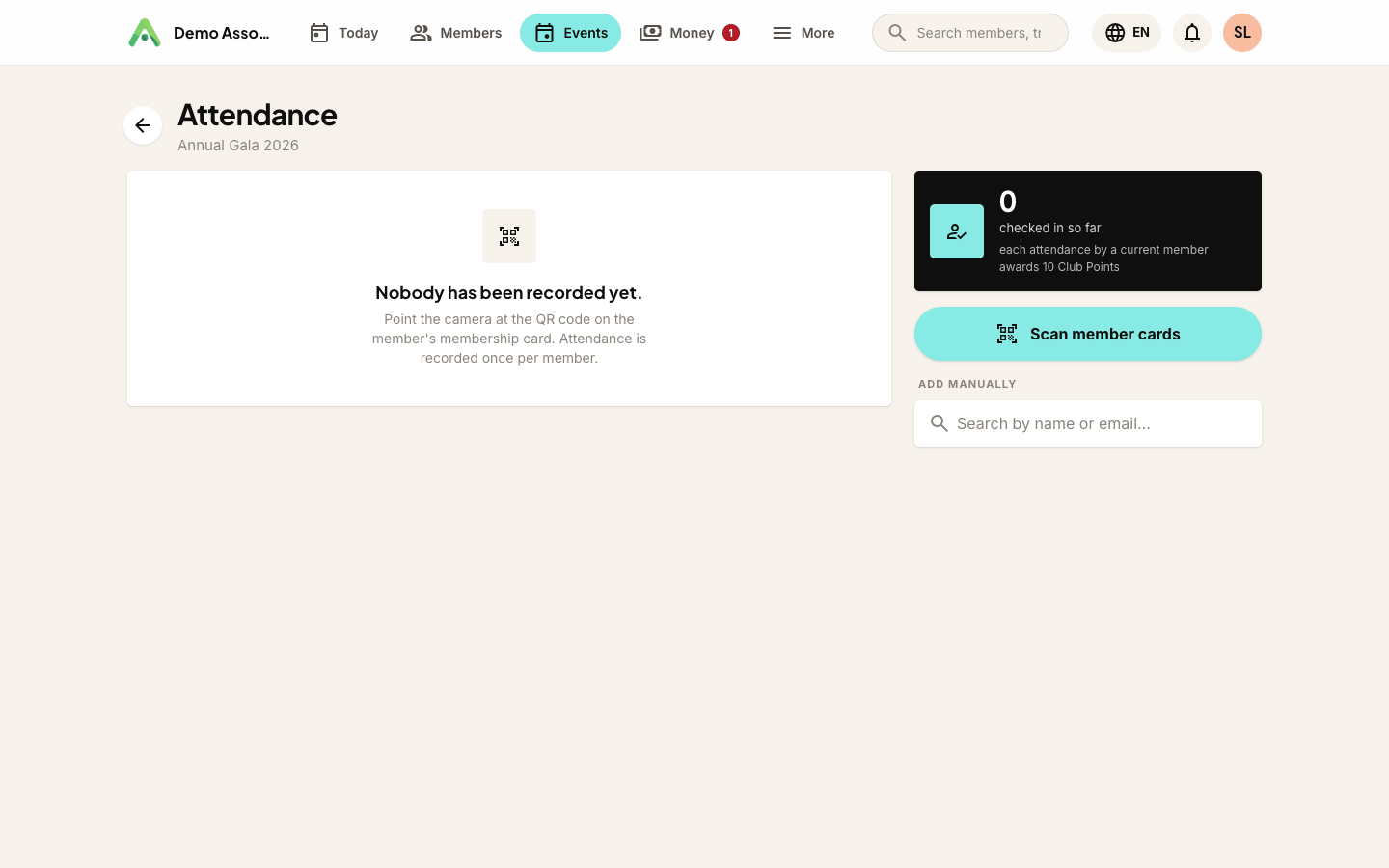
Each successful scan flashes green, vibrates, and shows the member's name. Scanning the same card again shows already recorded. A member whose membership has lapsed is still recorded, but the result shows amber with membership lapsed so whoever is on the door can mention renewing. A member can only ever be counted once per event, so an accidental double-scan will never double-count (or double-award points).
A few practical tips for the door:
- Brightness up on the member's phone helps the camera; the card page shows a large QR.
- Cards from a different organisation say not a member card for this organisation, and nothing is recorded.
- If the camera is refused or unavailable, the screen says so and the manual search below still works.
No card? Mark them manually
Under the scanner is a search box. Type a name or email, find the member, tap Mark attended. It is the same list, the same once-per-member rule and the same points, and the record just says manual instead of QR scan.
Fixing mistakes
The attendee list shows everyone recorded, when, how, and by whom. Tap Remove next to a row and confirm (the confirmation is there so a stray tap in someone's pocket cannot quietly delete a person). Removing an attendance also takes back any points it awarded, and the member's points history shows both the award and its reversal, so the record stays honest.
Points and timing
Points are awarded at the moment attendance is recorded, using the event's credit at that moment. Changing the event's credit afterwards affects future scans only. It never rewrites what earlier attendees received.
Questions people ask
Do members need to have registered? No. Anyone in your member list can be scanned or marked, walk-ins included. If they did register, their registration is marked checked-in at the same time.
Whose phone does the scanning? A staff phone (or tablet/laptop with a camera) signed in to the workspace. Members never need an app, as their card QR is enough.
Does it work offline? No, recording needs a connection. Venue Wi-Fi or mobile data is enough; each scan is a tiny request.
Can members scan themselves in? Not today. Scanning happens inside a signed-in staff session, which is what keeps the list trustworthy.
Still stuck? Reach your Anggota contact and we will walk you through it.
mailContact us